Page | 13
GUEST NETWORK (OPTIONAL)
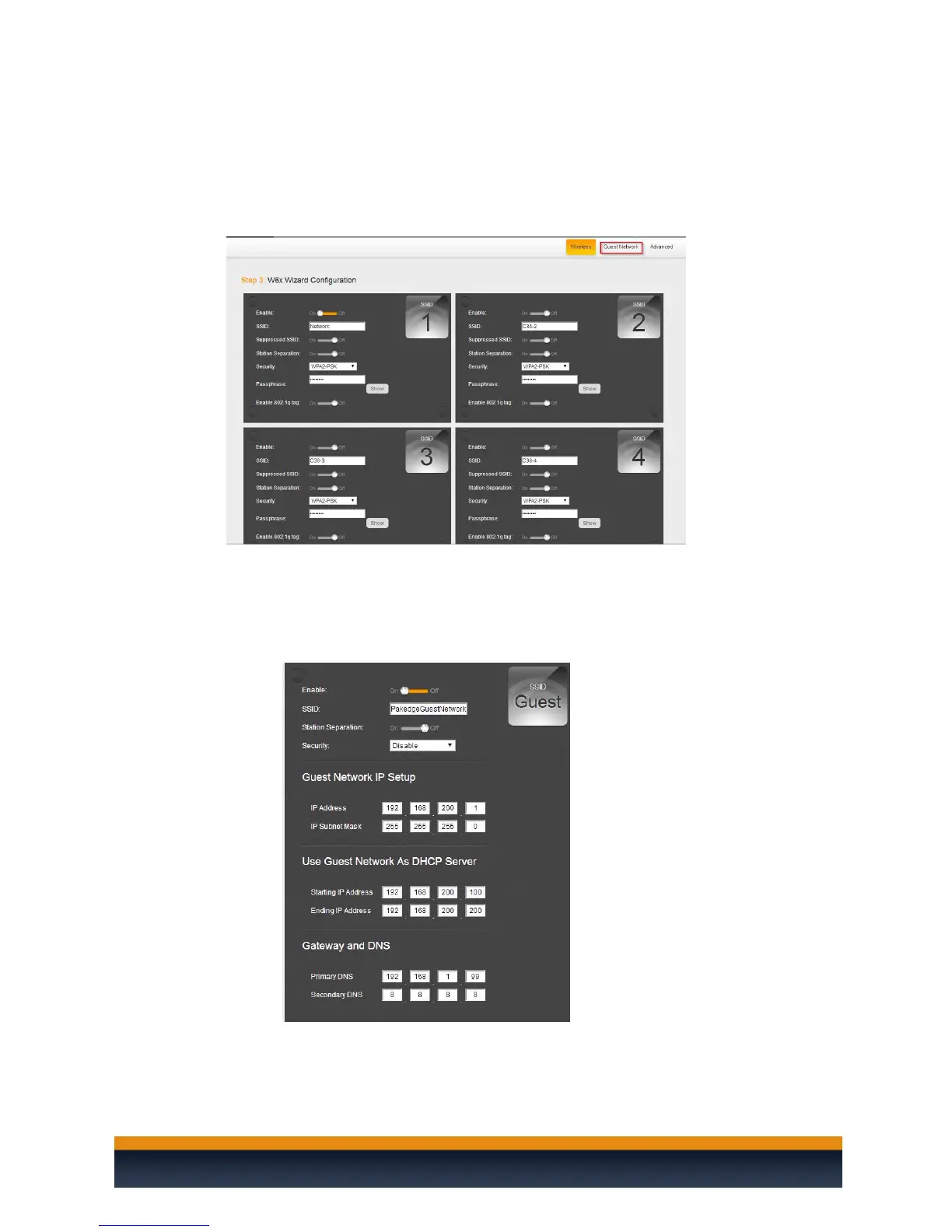
The Guest Network is designed for routers that do NOT support VLANs. The Guest Network acts as its
own network with no communication with the other SSIDs.
1. To enable and set the security settings on the guest SSID click on the guest network option
towards the upper right hand side.
.
2. Here you will be able to change the SSID and password to the guest network. You can change the
subnet that the guest network is on if you wish. The Default Gateway must be set to the IP
address of your router. For the DNS you can usually use the same IP as your default gateway or
you can use a publicly available DNS server such as 8.8.8.8. Click “Save” when done and “Save
and Apply” to apply the configuration to the APs.



 To Next Page