Page | 12
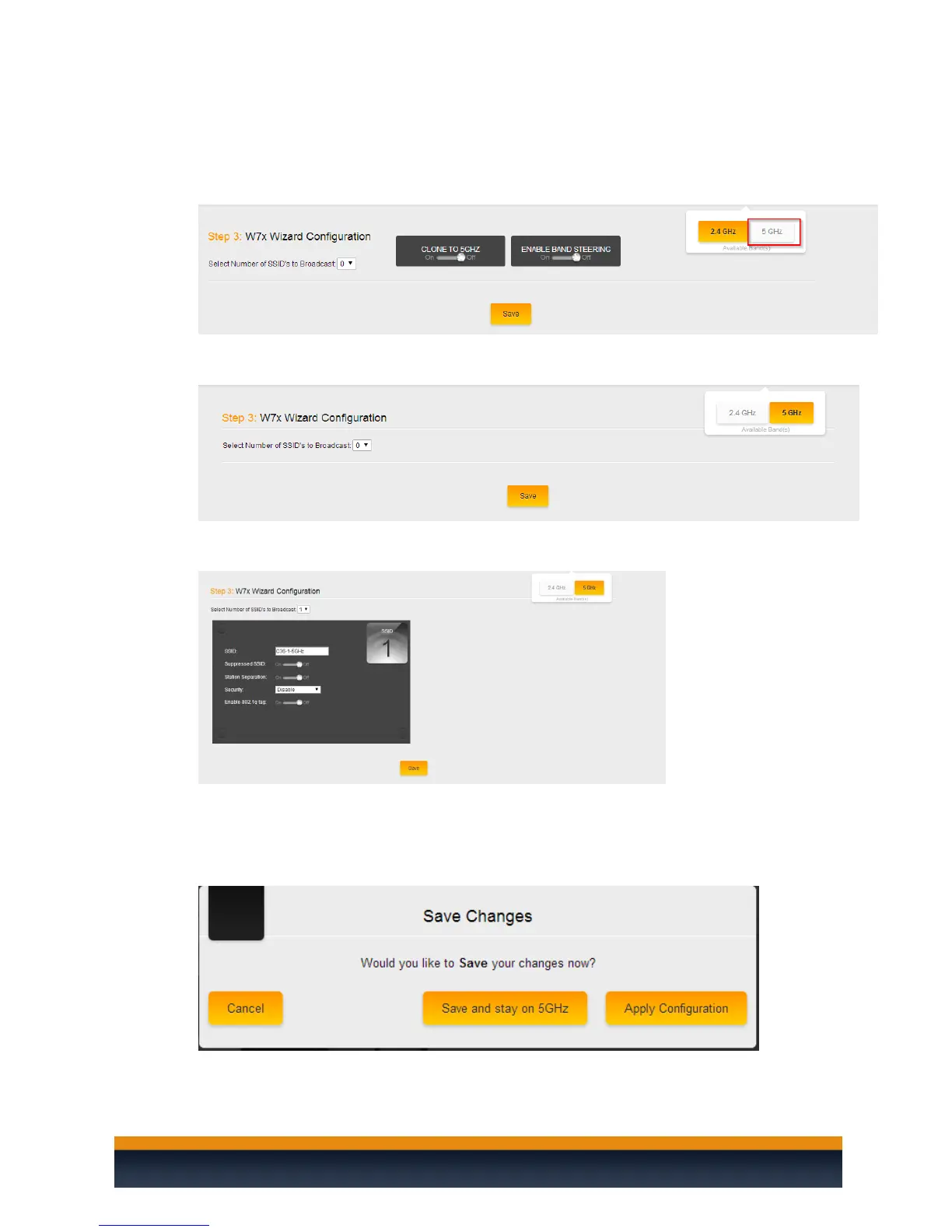
5. The Clone to 5 GHz option will allow you to copy the 2.4 GHz SSIDs to the 5 GHz SSID’s. This
way they will both have identical settings. If you do not wish to have the same SSID’s for
both the 2.4 GHz and the 5 GHz SSID’s you can leave this option disabled and then click on
the 5 Ghz option towards the upper right hand side.
6. Here you will see a similar page as to when you configured the 2.4 GHz SSID’s. You will be
asked how many SSID’s you need.
7. Once you have selected the number of SSID’s you want you will be able to configure the SSID
name, security, password etc.
8. Once you are done setting up the SSID(s), click “Save”. You can choose “Save and Continue”
if you still need to setup the guest network or make any changes under the Advanced tab, or
“Save and Apply” to write the setup to the access points



 To Next Page