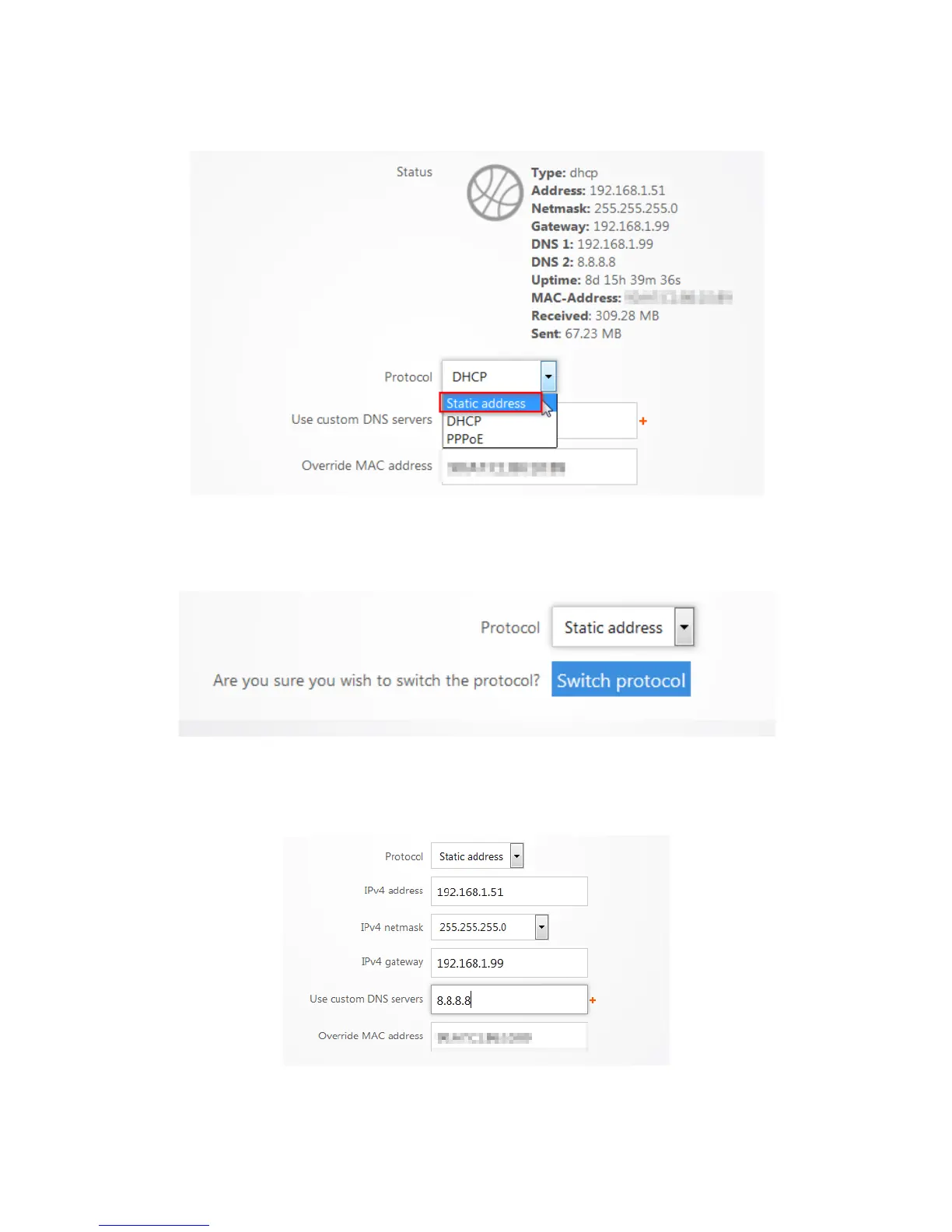
3. Select Static Address for the Protocol.
4. Click Switch Protocol to switch the WAN Zone to Static.
5. Enter the IP address, subnet mask, Default Gateway and DNS Server provided by your ISP.
Select custom from the netmask drop down menu to enter a custom subnet mask. Click Apply.
The router now has the Static IP configured on it.



 To Next Page