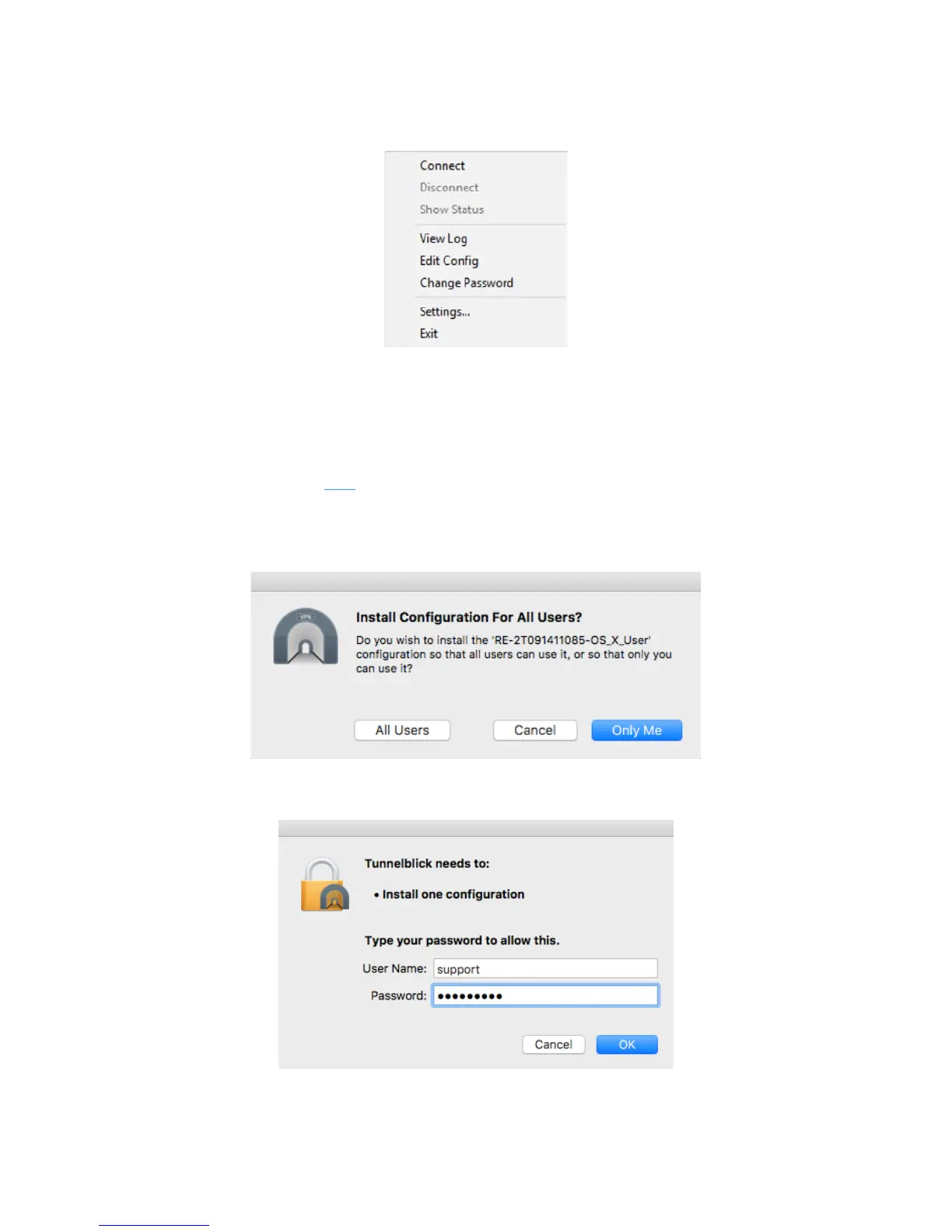
5. From the menu, click “Connect”
OS X
Tunnelblick is a popular, free, open source OpenVPN client for OS X.
To use Tunnelblick:
1. Download Tunnelblick here
, save it to your computer, and install Tunnelblick.
2. Download the Routers OpenVPN configuration file and save it to your computer.
3. Double-click the .ovpn file you downloaded. A dialog opens asking you for your configuration
preference. You can choose to install the OpenVPN configuration for all users or just your account.
4. Enter your OS X username and password, then click OK.



 To Next Page