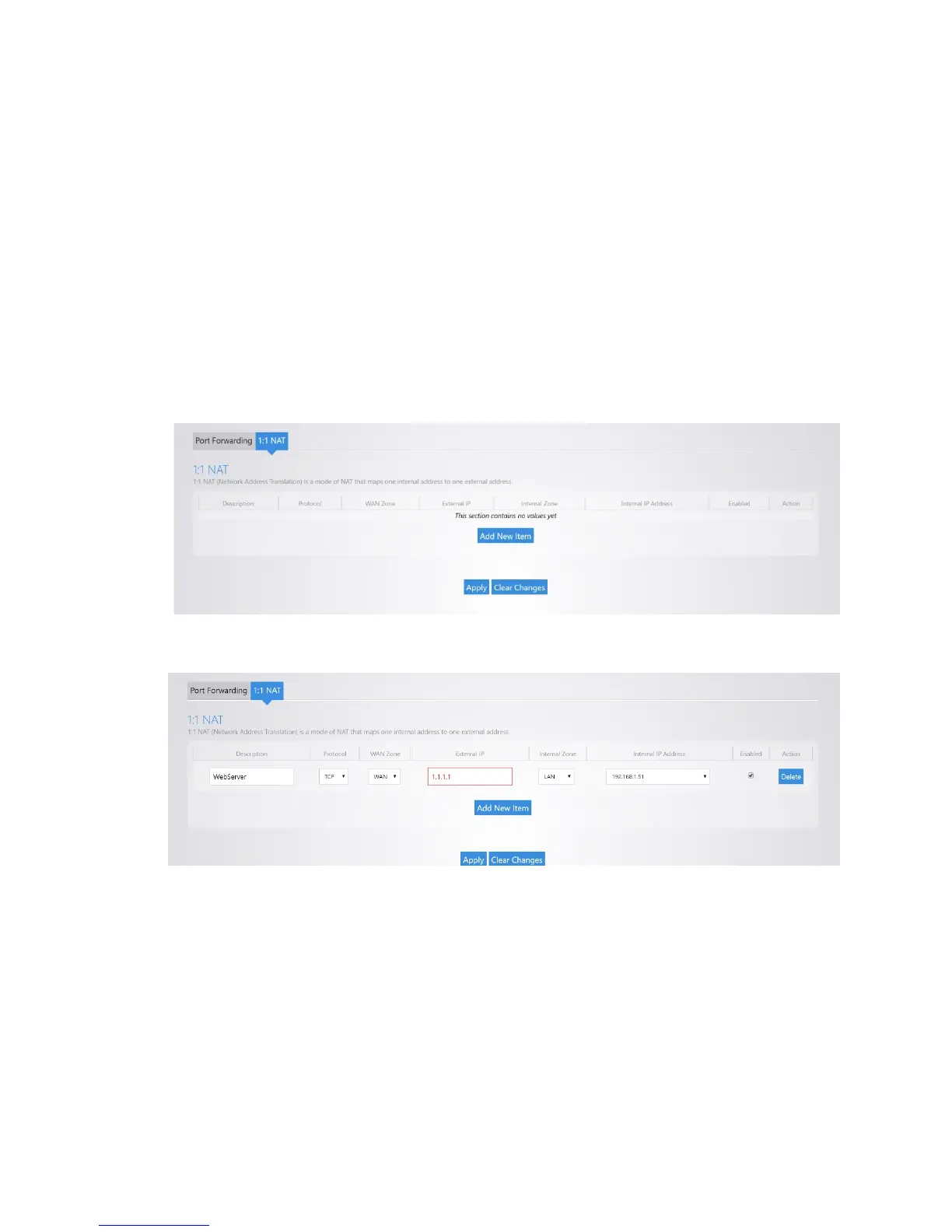
1:1 NAT
1:1 NAT is similar to port forwarding in that it allows you to forward ports to any specific device on the
network. This feature is useful in situations where a block of public IP addresses is available from a service
provider and the user wants to assign a specific public IP to a specific device on the network. This will
make any traffic originating from the device pass to the Internet using the public IP specified for that
device. 1:1 NAT is only supported on the RK-1 router.
To configure 1:1 NAT:
1. Navigate to Network >Port Forwarding/1:1 NAT. As an example, we will forward the public IP
1.1.1.1 to the local IP 192.168.1.51.
2. Click Add New Item.
3. Complete the following fields:
• For Description, enter WebServer.
• For Protocol, enter TCP.
• For External IP, enter 1.1.1.1.
• For Internal Zone, select LAN.
• For Internal IP Address, enter 192.168.1.51.
• Leave the Enable box selected.
4. Click Apply, and the configuration will be applied.



 To Next Page