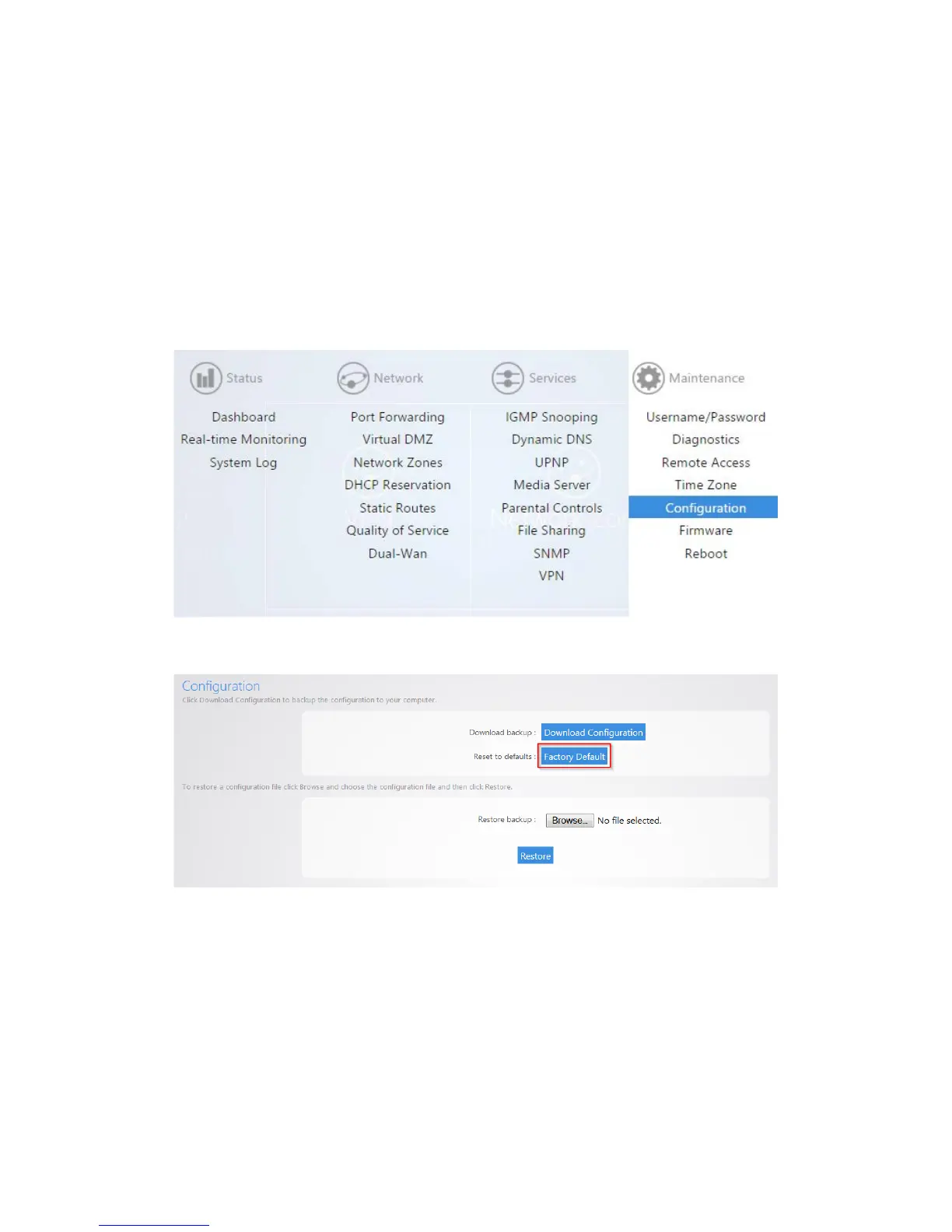
Configuration
The Configuration page will allow you to factory default the router, download the configuration file, or
restore a configuration.
Factory Default
To reset the router to factory default settings:
1. Click Configuration.
2. Click Factory Default.
The router will now factory default itself. You can also factory default the router by pressing the
pin-hole reset button on the back. Simply hold down this button for 10 seconds while the router is
powered on, and then release it. The router will then factory default itself.



 To Next Page