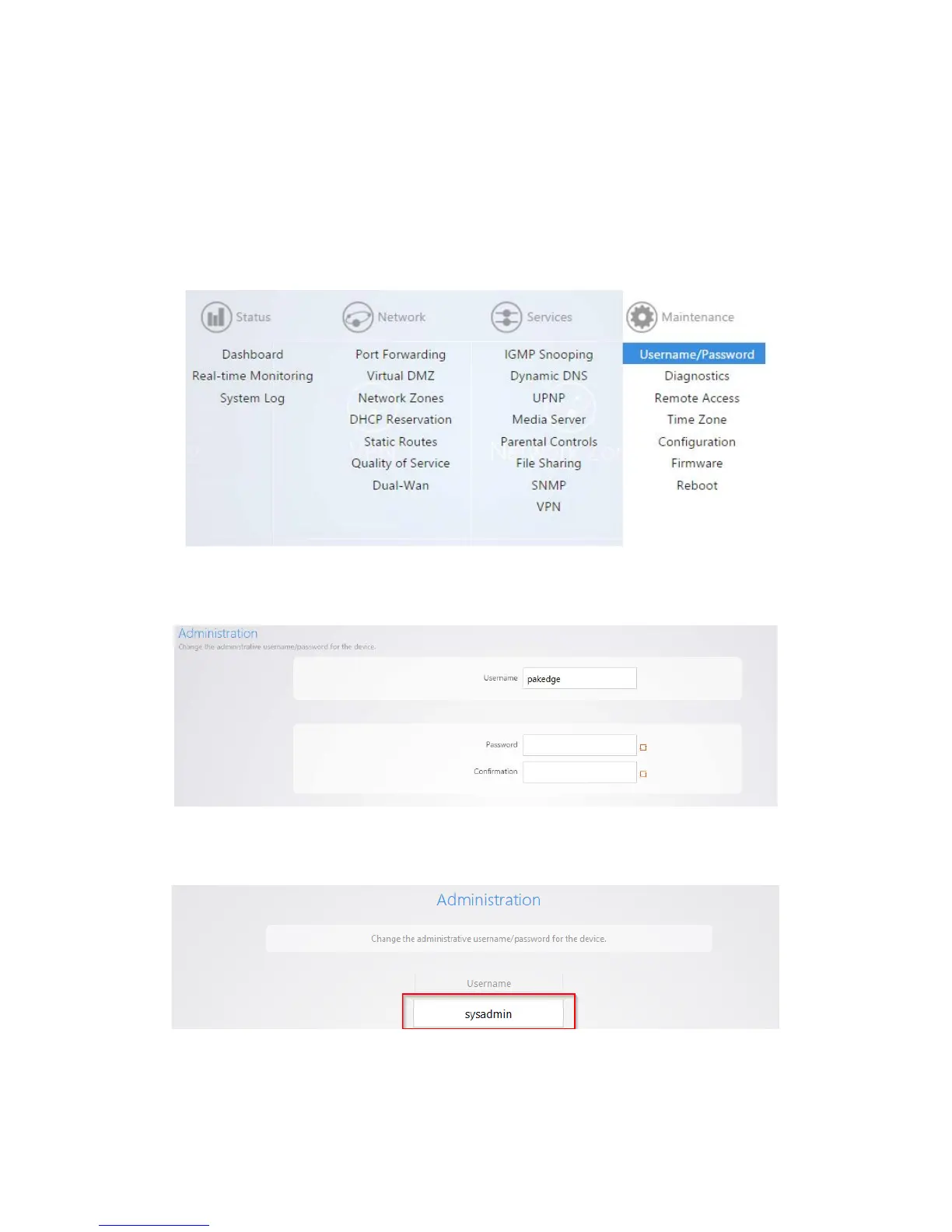
Username/Password
We strongly recommend that you change the default password for the router.
To change the password:
1. After you’re logged into the router, navigate to Maintenance >Username/Password.
2. Enter the password you would like to use for the router. There are no specified requirements for the
password. You will need to enter the password a second time to confirm it.
3. You can also change the default username. Simply type in the username you would like to use. Click
Apply to finalize the settings.



 To Next Page