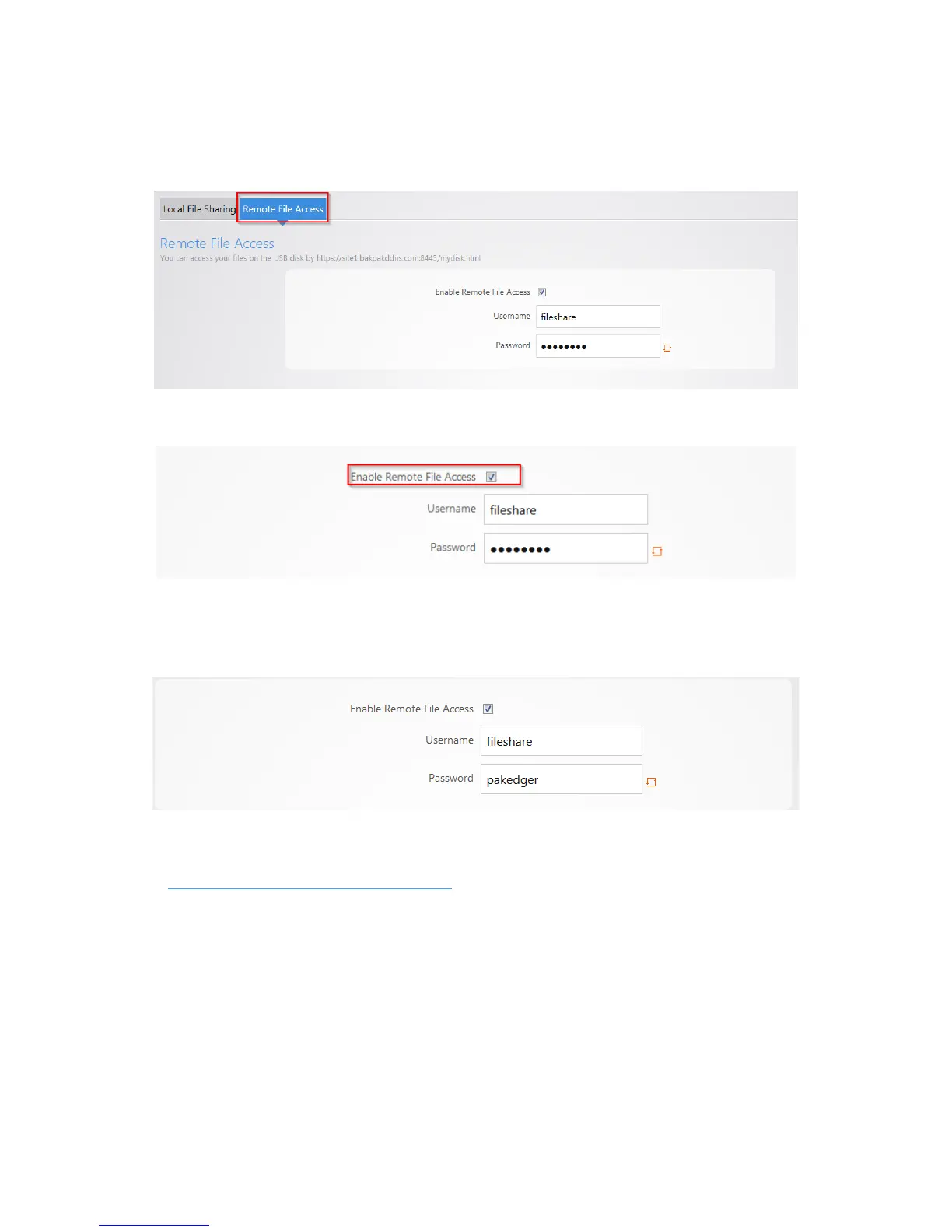
To set up remote file sharing:
1. Click the Remote File Access tab.
2. Select Enable.
3. The default username/password for remote file access will be fileshare/pakedger Note: You can
change the username and password used to remotely access the USB drive. Simply enter the new
credentials and click Apply.
4. Click Apply to finalize the settings.
5. To remotely access the USB drive enter the following into a web browser
https://PublicIPaddress:8443/mydisk.html
and press enter. Note: if you configured DDNS on the
router you can use that in place of the public IP address.



 To Next Page