Power
Blue The router is powered on
Off The router is turned off
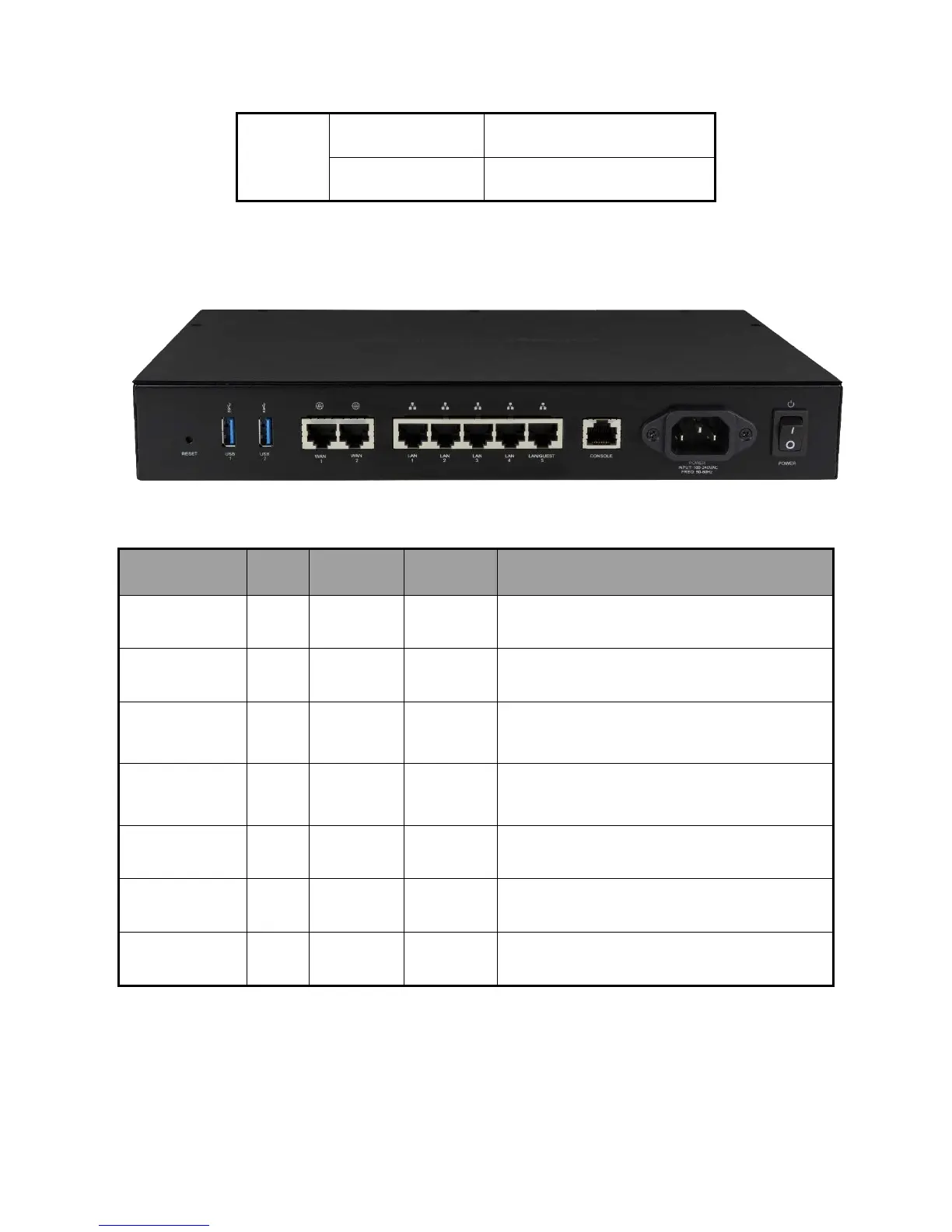
Note: LAN Port number 5 can be configured as a Guest network.
Below you will find a description of the interfaces on the back of the router in Table 2.
Table 2: Interface Explanation (From Left to Right)
Interface Type Speed Protocol Description
Reset Button N/A
N/A
N/A
Hold Reset Button for 10 seconds to factory default the settings
USB 1 - 2 USB-A
Up to 5Gbps
USB 3.0 USB port used for file sharing
WAN 1 -2 RJ-45
10/100/1000
Mbps
Ethernet WAN port used for the Internet connection from the ISP
LAN 1 - 5 RJ-45
10/100/1000
Mbps
Ethernet 4-port switch connections on the internal network
Console RJ-45
115200
Console Console port for maintenance use
AC Power input AC
N/A
N/A Power Input
Power Switch N/A
N/A
N/A On/Off Power Switch



 To Next Page