30 004778600 - 21/10/2020
1 CONTROL PANEL
1.1 Description
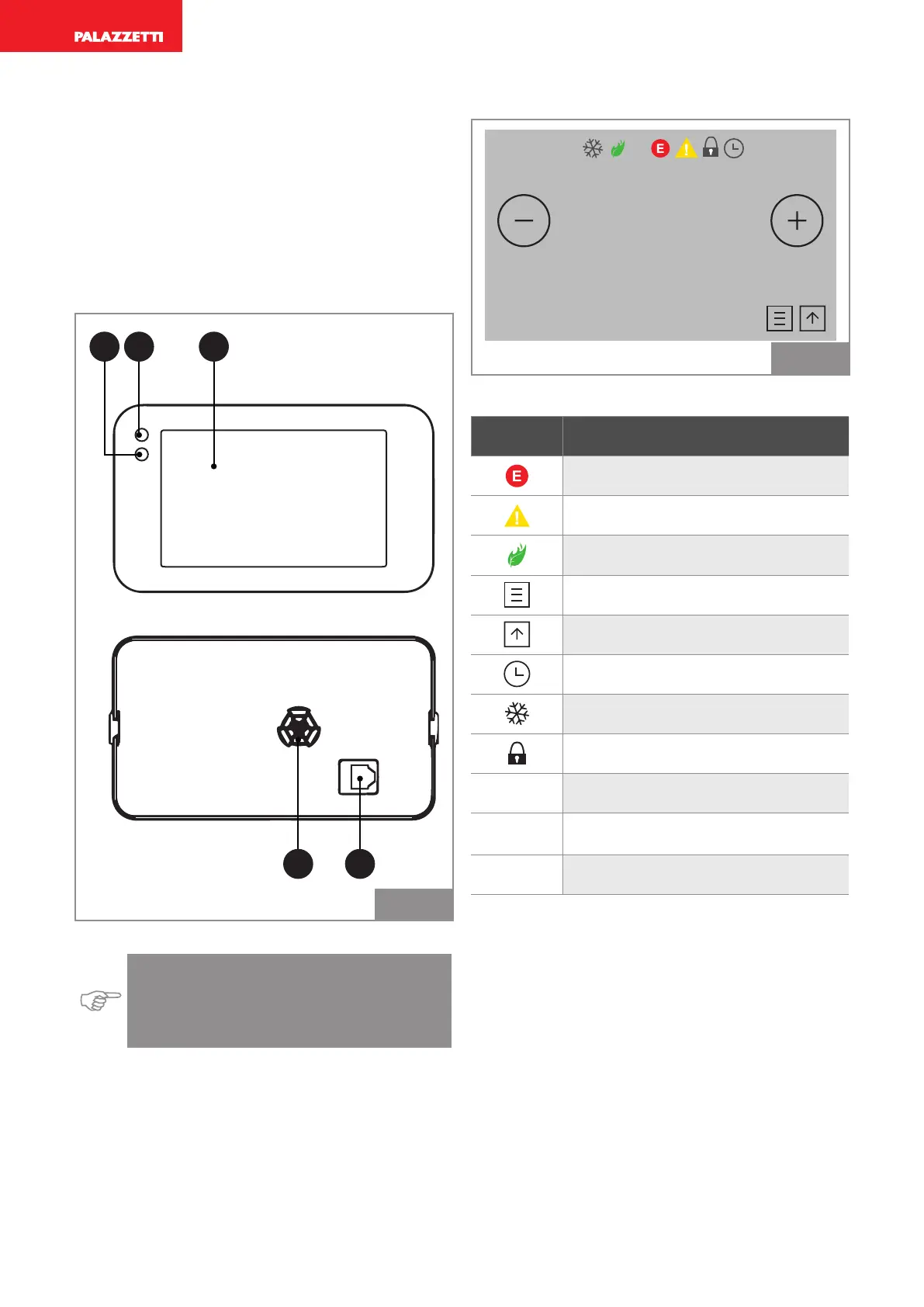
The control panel consists of:
1) IR receiver (infrared)
2) Room light sensor
3) Touch Screen
4) Speakers
5) RJ11 connector
4 5
321
Fig. 1
Indication: The screen is the Touch Screen
type and therefore simply needs to be
tapped in order to activate it, without press-
ing any buttons.
1.2 General description of icons
AIR
OFF
°C
20,0
25,8 °C
Fig. 2
Icon Description
Alarm
Warning
Eco mode function active
Main menu
Device on/off
Timer activated
“Antifreeze” function active
Screen lock
OFF Indication that device is off
20.0
Set temperature
25.8
Temperature detected by sensor



 To Next Page