40 004778600 - 21/10/2020
3.1.10 Installer Menu
Hazard: The submenus are password-pro-
tected and are reserved to the service
centre.
Settings
Installer menu
Service menu
Screen lock
Language
Info
Fig. 39
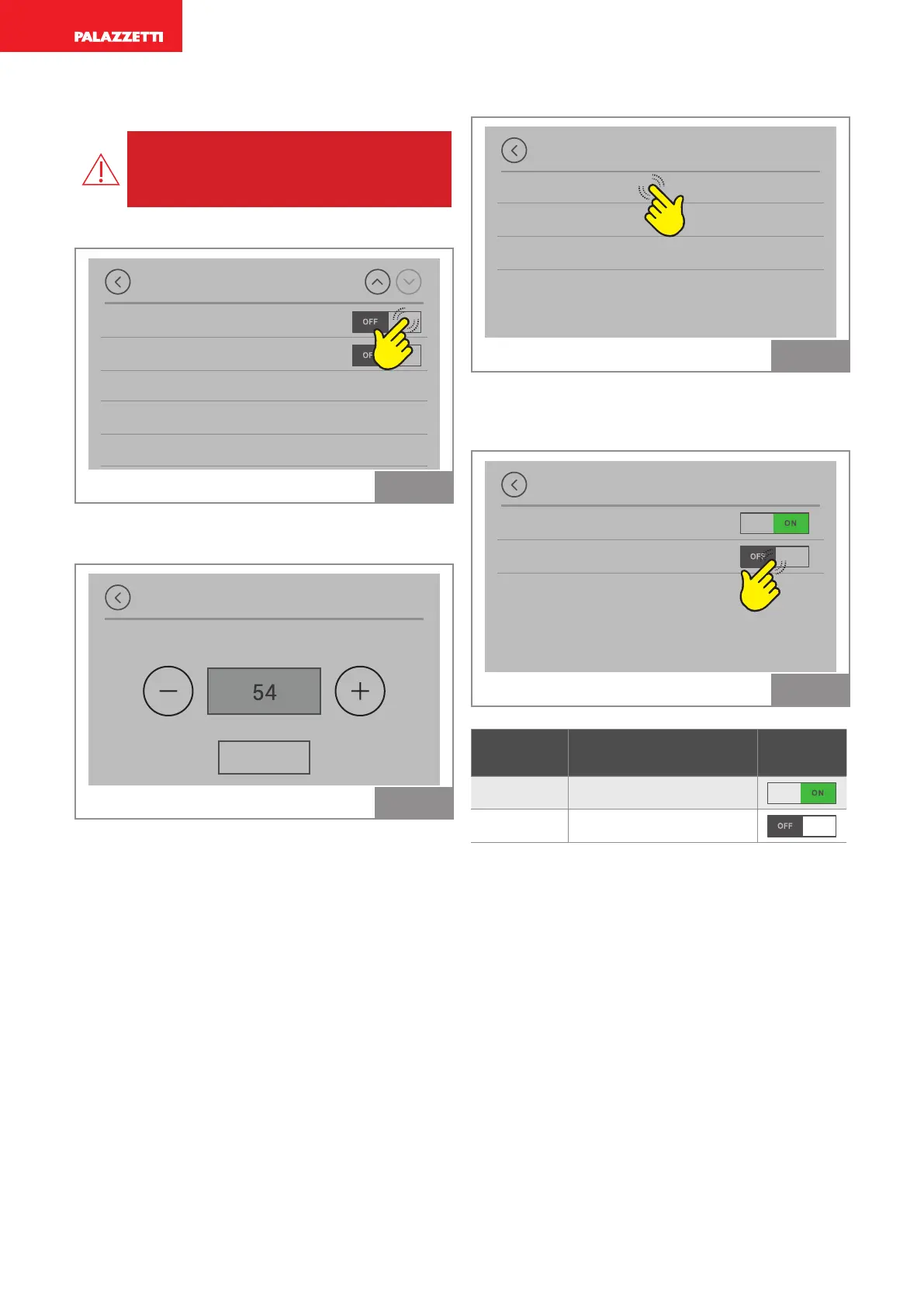
Press ON: the password appears, set 54 and press
OK to confirm.
Password
OK
Fig. 40
Press "Configurations".
Installer menu
Configurations
Room thermostat
Fixed speed setting
Fig. 41
The possible device configurations are displayed.
The current configuration is shown as ON, all the
others are OFF.
Configurations
Room sensor
Room thermostat
Fig. 42
Configu-
ration
Description Default
1
Room sensor
2
External thermostat
See system configuration in the installation
manual.



 To Next Page