48 004778600 - 21/10/2020
5.2 Statistics
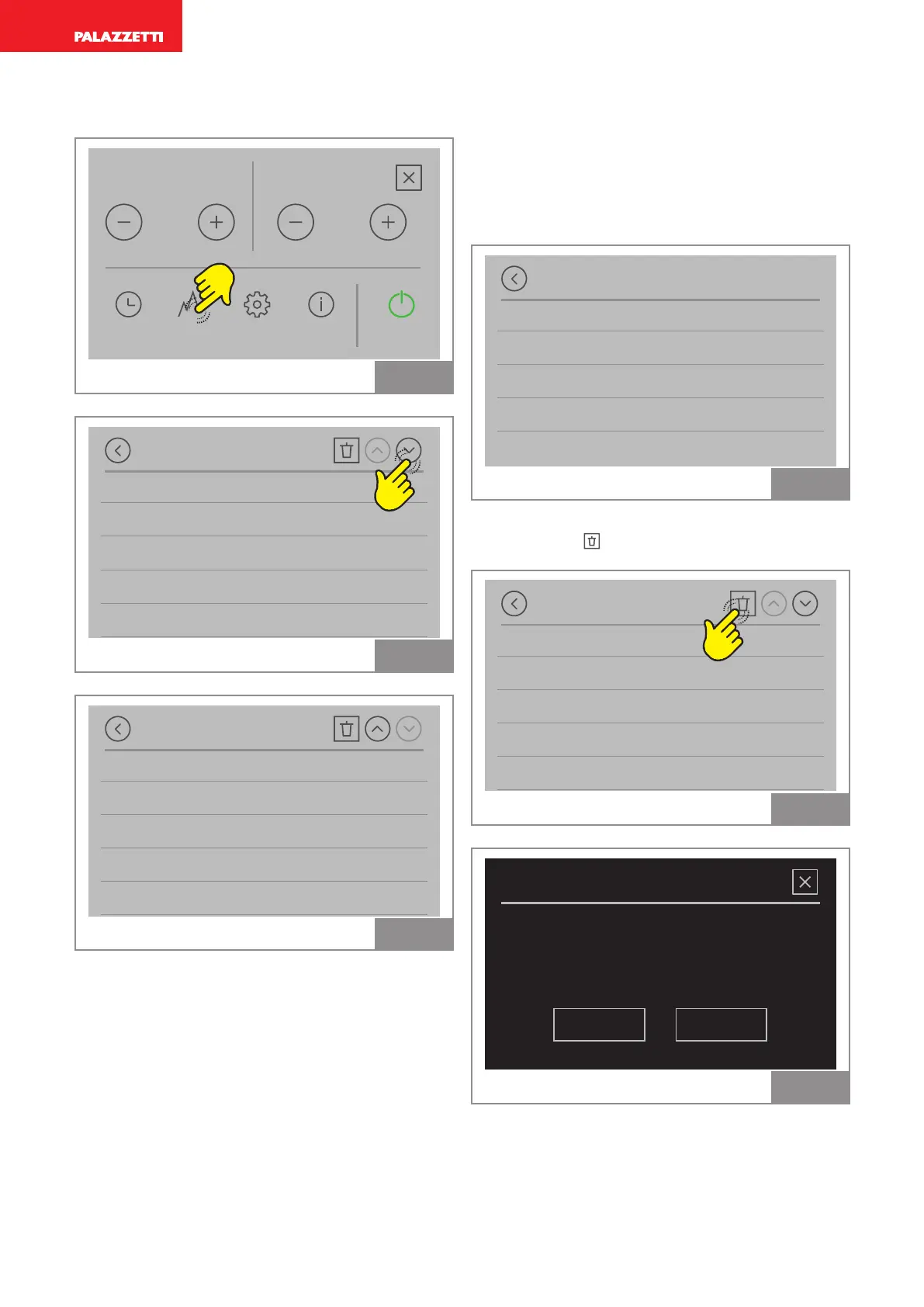
It is possible to view a log of the device’s statistics.
Power
TIMERS STATS SETTINGS TIPS START
5
Fan
4
Fig. 75
Statistic
Today
Last 24 hours
Last 7 days
Last 30 days
Last 90 days
Fig. 76
Statistic
Last 30 days
Last 90 days
Last 6 months
Last year
From the beginning
Fig. 77
Example statistics
By selecting “Today” we can view:
• the kilograms of pellets used
• the heating time
• the average power produced
• the average room temperature
Today
Total consumpt. 0 kg
Heating time 0:00
Avg. power 0.0 kW
Avg. temperature 25,7 °C
Fig. 78
Delete statistic
Press the icon
to delete the statistic:
•
Statistic
Today
Last 24 hours
Last 7 days
Last 30 days
Last 90 days
Fig. 79
Delete statistic
NOYES
Do you really want to delete the
statistic log?
Fig. 80



 To Next Page