ITALIANO ENGLISH DEUTSCH FRANÇAIS ESPAÑOL
004778600 - 21/10/2020 47
5 AVAILABLE FUNCTIONS
5.1 Timer setting
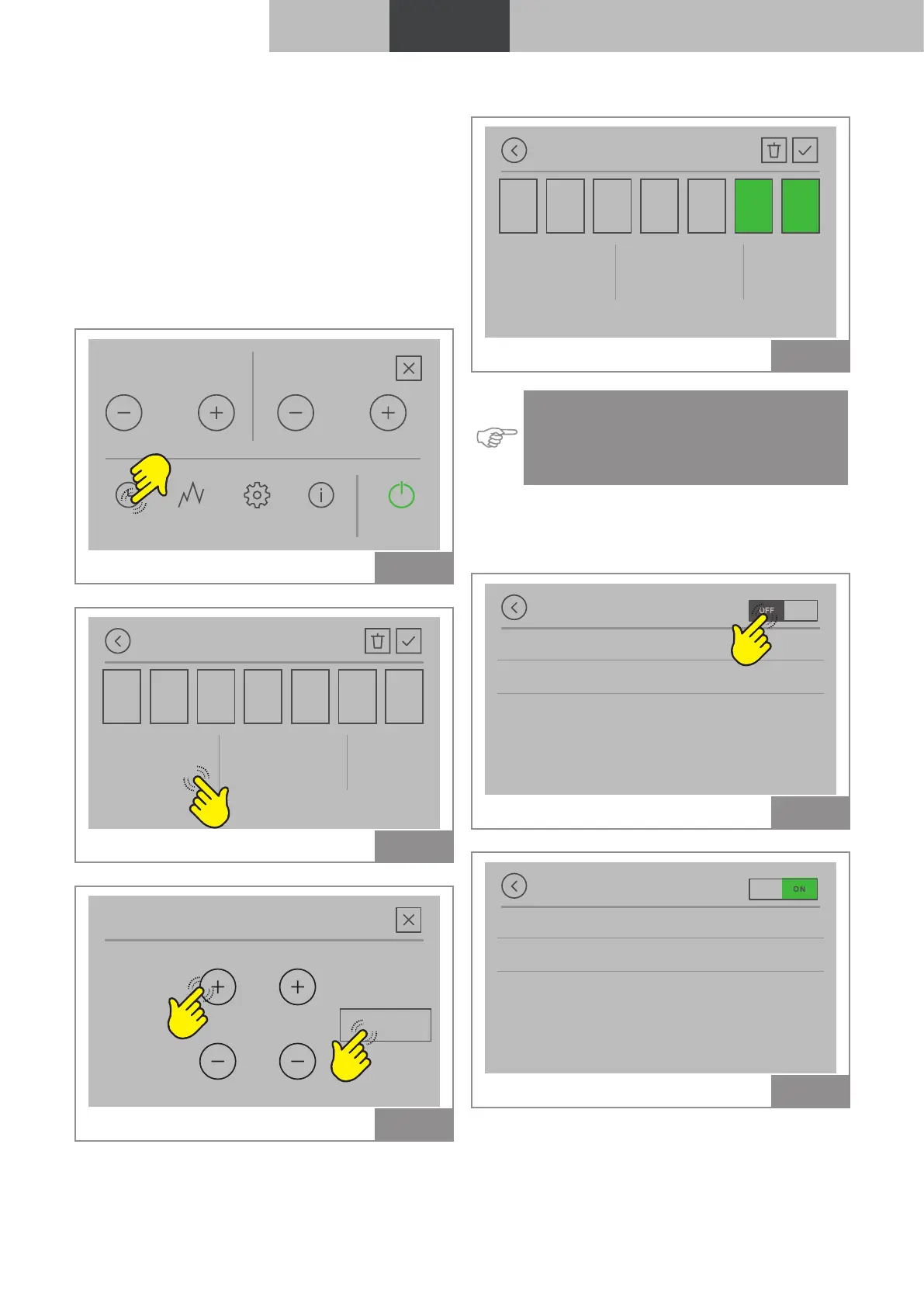
It is possible to set, enable and assign to the var-
ious days of the week, customised programs for
the automatic ignition and/or shutdown of the
device.
Up to six customised programs can be configured.
For each program it is possible to set: start time,
switch off time and desired temperature.
Up to three programs can be assigned to each
day of the week.
Power
TIMERS STATS SETTINGS TIPS START
5
Fan
4
Fig. 69
Add new timer
24,0 °C00:0000:00
Temp.OFF timeON time
M FM T S SM
Fig. 70
ON time
OK
00 00:
Fig. 71
Example of set Timer
Add new timer
24,0 °C11:0009:00
Temp.OFF timeON time
M FM T S SM
Fig. 72
Indication: The settable temperature on the
timer depends on the type of system con-
figuration. For more information see sec-
tion “1.4 Start screen and set temperature".
5.1.1 Timer enabling/disabling
Select ON to enable the timer or OFF to disable it.
Timer
M M M T F S S
24,0°C
Add new timer
09:00
11:00
Fig. 73
Timer
M M M T F S S
24,0°C
Add new timer
09:00
11:00
Fig. 74
The device will ignite at 9.00 am and shut down
at 11.00 am on Saturdays and Sundays



 To Next Page