- 10 -
6 Press the 3/4/2/1 buttons to select [EXIT] and press the enter
button to complete the menu settings.
≥ The MENU button can also be pressed to complete the menu settings.
To get back to the previous screen
Select [ ] and then press the enter button.
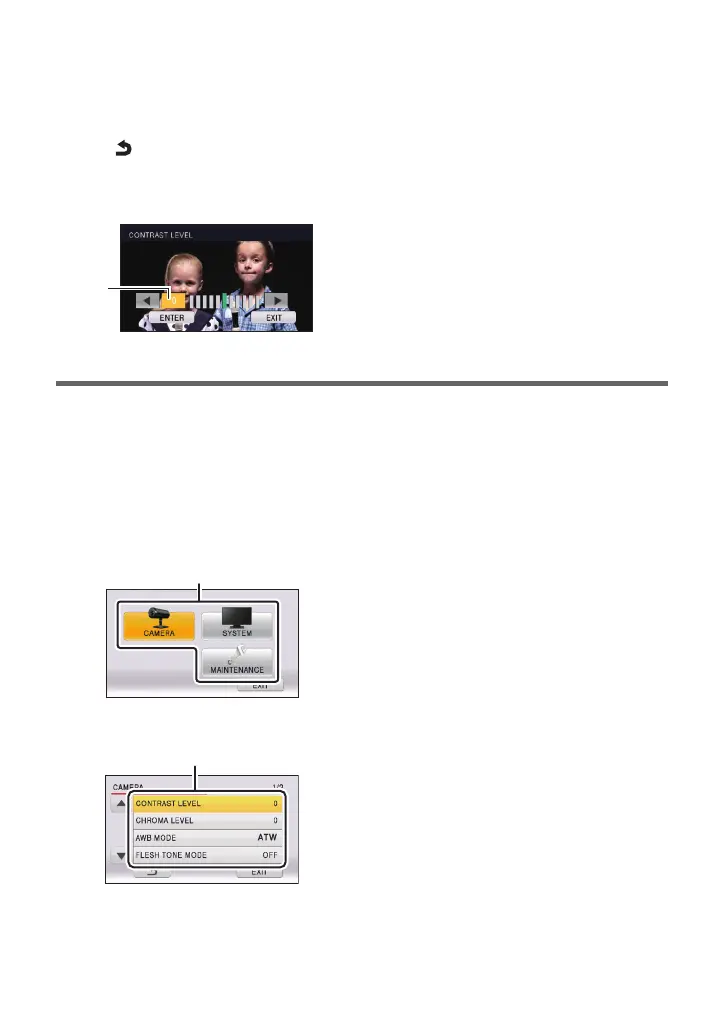
To adjust the level
Select setting level D and press the 2/1 buttons.
Operating using the controller
1 Press CAMERA STATUS/SELECTION button 1 to 5 and select the
camera.
2 Press and hold the CAMERA OSD button for 2 seconds to light the
button.
≥ The camera menu is displayed.
3 Rotate the F1 dial to select top menu A and press the F1 dial.
4 Rotate the F1 dial to select submenu B and press the F1 dial.



 To Next Page