- 15 -
When coloration (white balance) is unnatural due to a light source or the like, set it manually.
≥ This adjustment must be performed when using the unit for the first time or when the unit
has not been used for a prolonged period.
≥ It must be performed when the lighting conditions or brightness has changed.
The following modes are available on the unit:
Setting using the Web setting screen
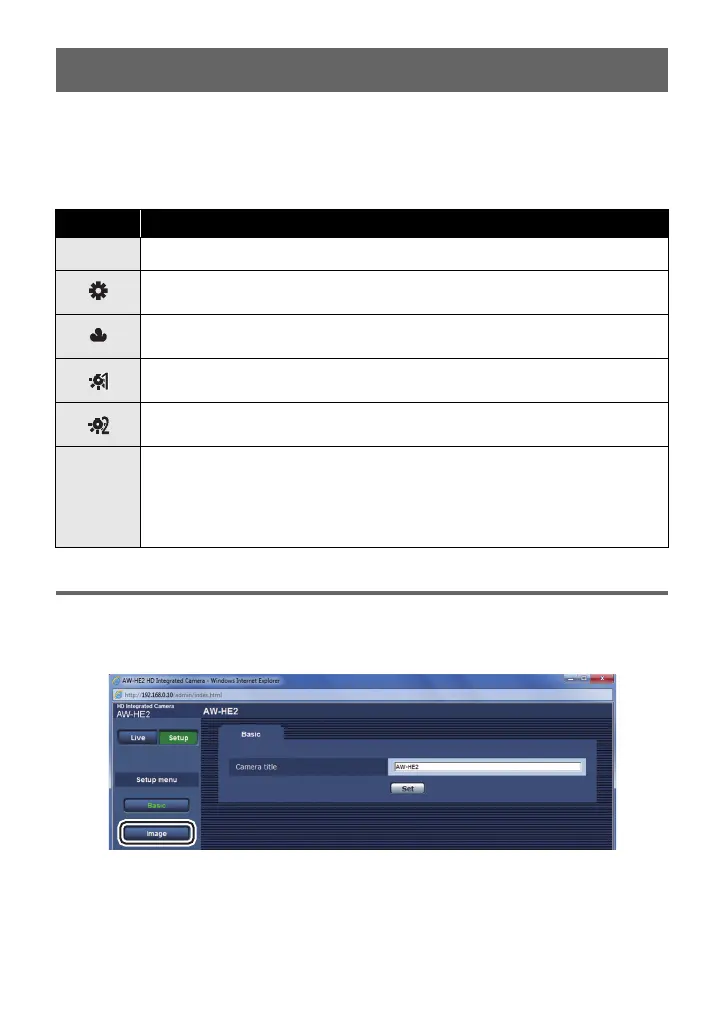
1 Open the Setup screen.
2 Click [Image].
Setting the White Balance
Icon Mode/Recording conditions
Auto White Balance adjustment
Sunny mode:
Indoor applications with the same conditions as sunny, outdoor applications
Cloudy mode:
Indoor applications with the same conditions as cloudy, outdoor application
Indoor mode 1:
Incandescent light, video lights like in the studio, etc.
Indoor mode 2:
Color fluorescent lamps, sodium lamps in gymnasiums etc.
Manual adjustment mode:
Register a setting suited to a shooting location (White Balance Setting) and
retrieve the setting.
≥ The White Balance Setting cannot be performed when color bars are
displayed.



 To Next Page