- 19 -
Adjust the brightness of the image.
This unit can be used by switching between auto mode and manual mode.
Auto mode:
Brightness is adjusted automatically to suit the area of shooting.
Manual mode:
Adjust the brightness when taking images in areas that are too bright (or too dark).
≥ [Contrast Level] and [Back Light COMP.] cannot be set in manual mode.
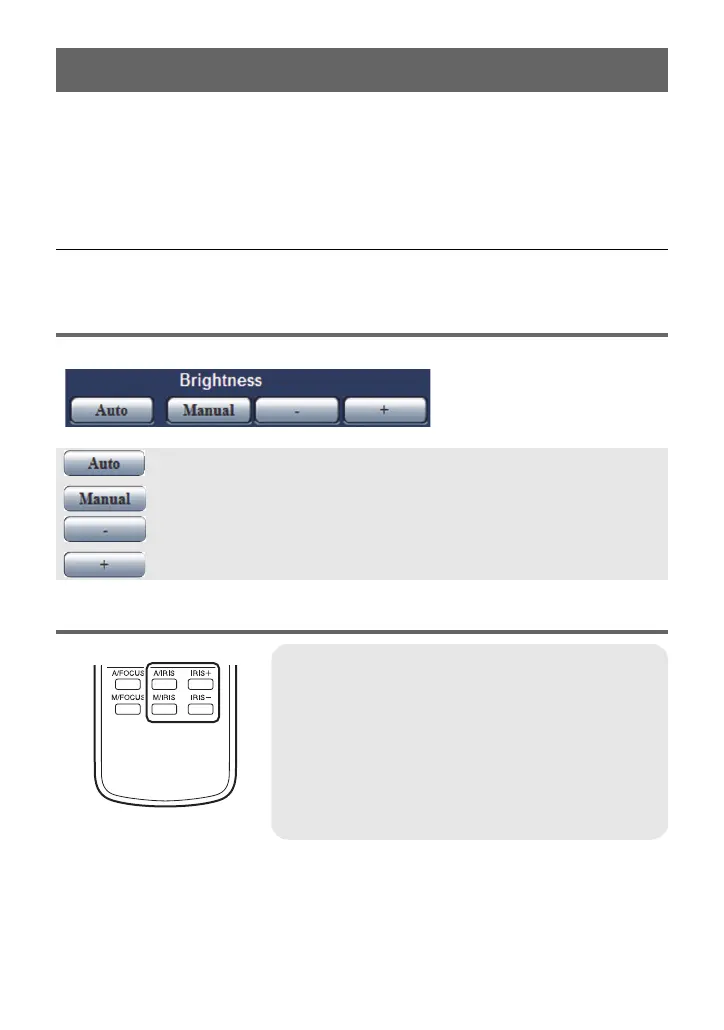
Setting using the Web setting screen
≥ Open the Live screen
Operating using the wireless remote controller
Adjust the Brightness
: Switches to auto mode.
: Switches to manual mode.
: Adjusts the image darker in manual mode.
: Adjusts the image brighter in manual mode.
A/IRIS button:
Switches to auto mode.
M/IRIS button:
Switches to manual mode.
IRIS_ button:
Adjusts the image brighter in manual mode.
IRIS` button:
Adjusts the image darker in manual mode.



 To Next Page