- 21 -
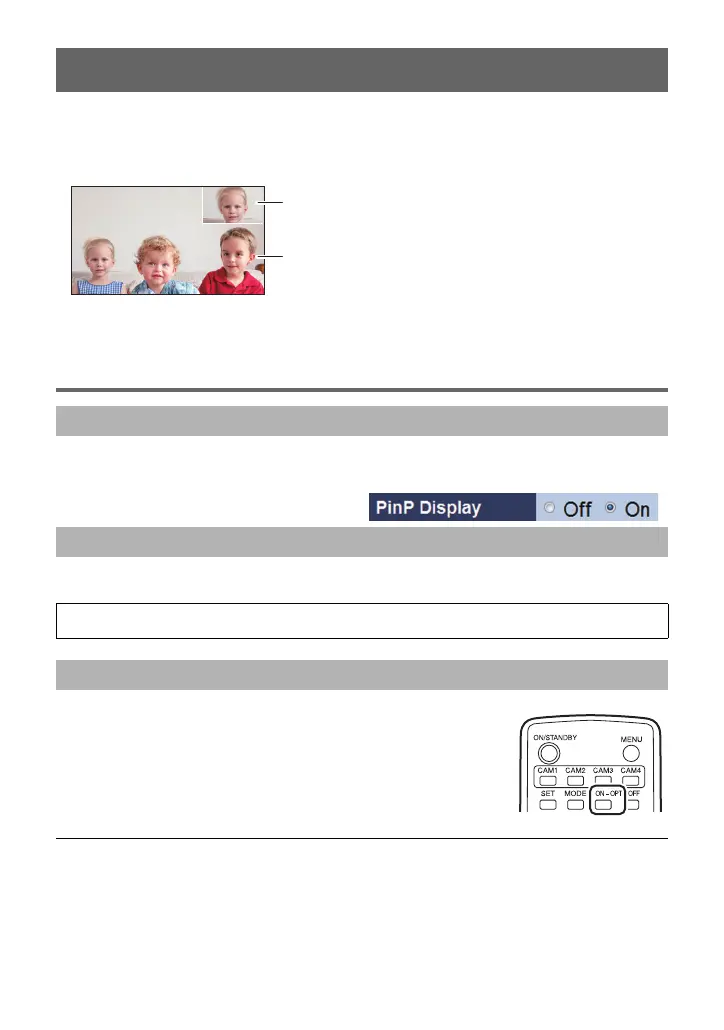
You can cut a portion of a camera image and displays it on a small screen (PinP: Picture in
Picture) in the main screen.
≥ You can change the PinP retrieval position, perform zoom operations for a PinP image,
and change the PinP display position.
A PinP
B Main screen
Displaying PinP
1 Open the Live screen.
2 Select [On] for [PinP Display].
Select the menu. (l 9)
Press the OPT-ON button.
≥ You can show/hide a PinP image by pressing the button.
≥ On a 1920k1080 pixel monitor, a PinP image is displayed in 640k360 pixels.
≥ When the PinP display is switched on, the movement of images on the monitor may no
longer look smooth.
PinP (Picture in Picture) Function
Operating Using the Web setting screen
Operating Using the Camera Menu
[CAMERA] # [PinP DISPLAY] # [ON]
Operating using the wireless remote controller



 To Next Page