- 17 -
Operating using the wireless remote controller
Select the menu. (l 9)
∫ Performing the White Balance Setting
1 Set the mode to either [AWB A] or [AWB B].
≥ After setting the mode, end the camera menu.
2 Fill the screen with a white subject.
≥ Do not shoot shiny or very bright objects.
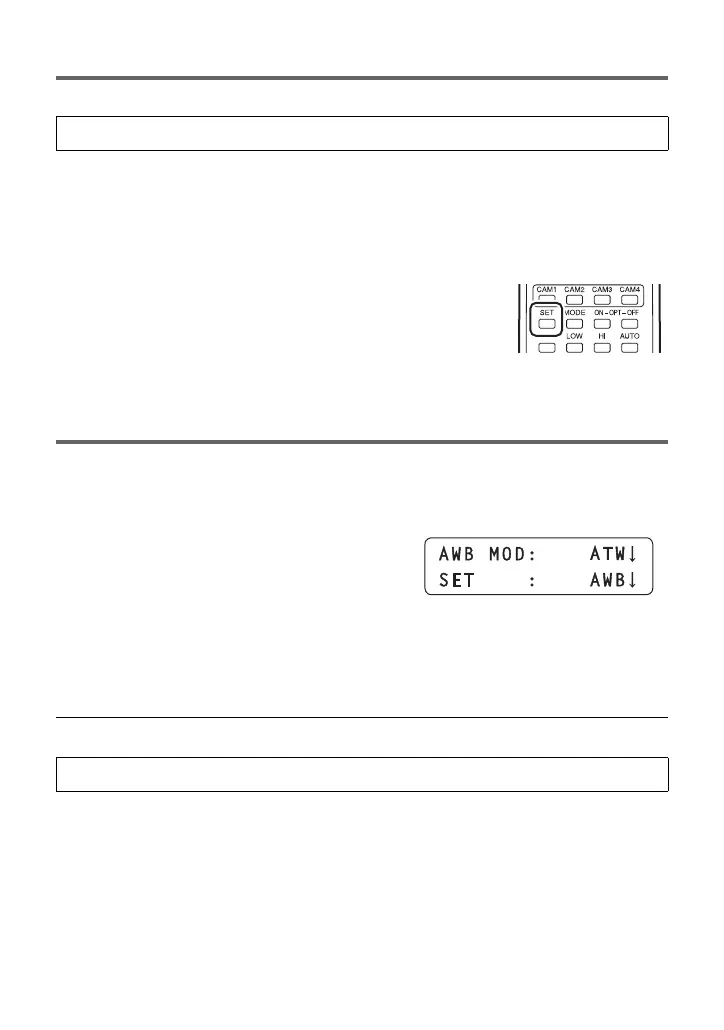
3 Press and hold the SET button of the wireless remote
controller for 2 seconds.
≥ When [OSD Status] is set to [On], [AWB OK] is displayed on the
screen and adjustment is completed.
≥ When the white balance cannot be set, the error message [AWB
NG] is displayed on the screen. When this occurs, use another
mode.
Operating using the controller
1 Press the MENU button to light the button.
2 Press the PRESET MEMORY/MENU 4 button (AWB/ABB) to light the
button.
≥ The AWB/ABB menu is displayed on the LCD
panel.
3 Rotate the F1 dial to select the white balance mode.
≥ [ATW], [AWB A], [AWB B], [3200K] (equivalent to “Indoor mode 1”), and [5600K]
(equivalent to “Sunny mode”) can be selected from the controller menu.
4 Press the F1 dial to set .
≥ When selecting modes other than those above, use the camera menu settings. (l 9)
[CAMERA] # [AWB MODE] # desired setting
[CAMERA] # [AWB MODE] # desired setting



 To Next Page