Operating Instructions
35
Registering a Preset Position
20 camera positions can be registered as presets. By default, the preset positions
(1—4) are registered 1: Upper Left, 2: Upper Right, 3: Lower Left and 4: Lower
Right. These buttons can be changed (see page
37). The camera can be set up to
turn to the preset positions when detecting motions.
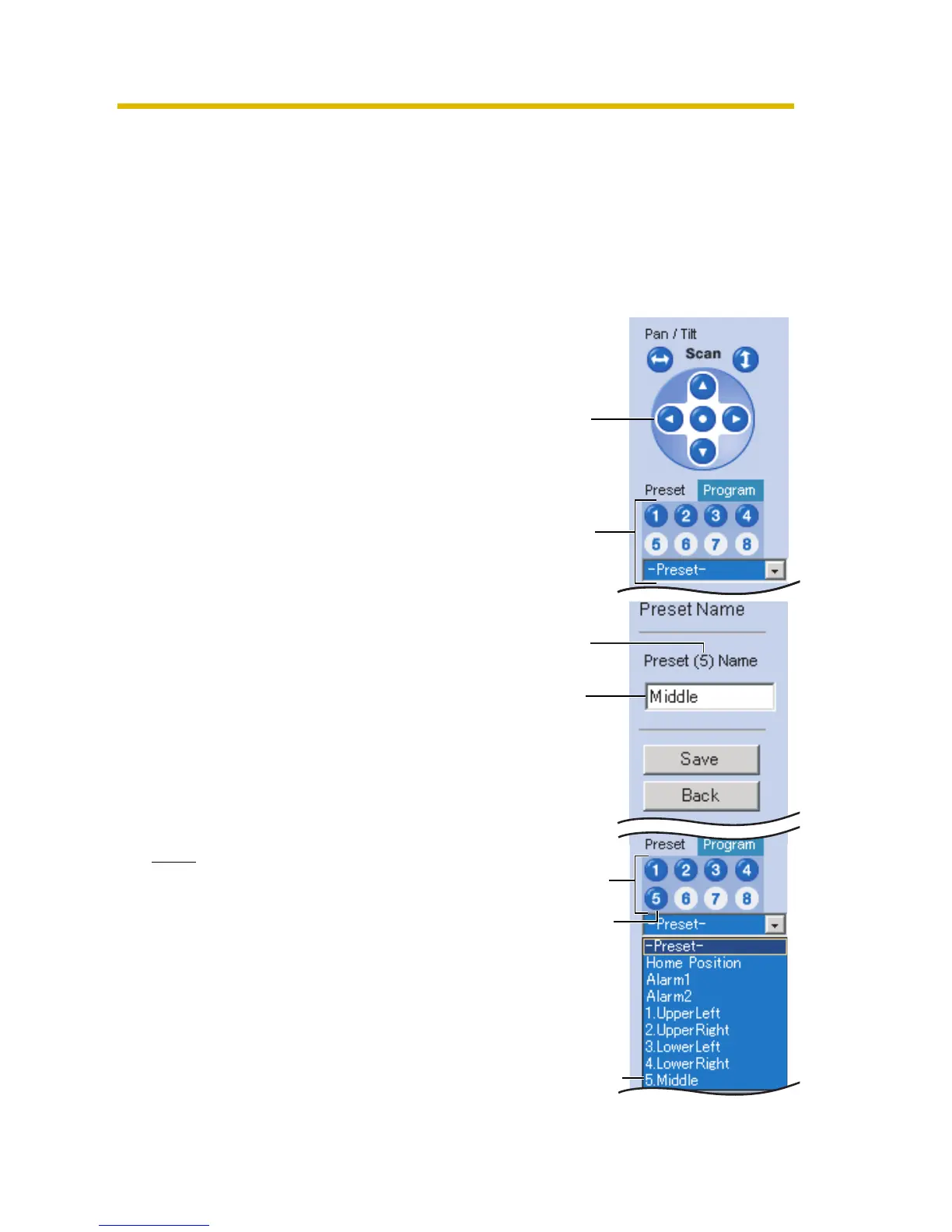
• Registered buttons are shown in blue.
• Unregistered buttons are shown in white.
1. Click [Program].
• [Program] switches to [Cancel].
Click [Cancel] to quit without saving
changes.
2. Pan and tilt the camera to a desired
position.
3. Select a preset position (1—20) from
drop-down list, and enter the preset
name.
E.g.:
Setting "Middle" for the preset 5.
When selecting a preset button (1—8),
enter the preset name.
• Maximum 15 characters.
• Enter ASCII characters (see page
183) or characters in each
language. But [Space], ["], ['], [&], [<]
and [>] are not available.
4. Click [Save] to register, or click [Back]
and [Cancel] to cancel.
• If "Success!" is displayed, click
[Back].
Note
• When registering preset positions,
the camera also saves brightness
and white balance settings.
• Only an administrator can register
preset positions.
• The digital zoom value will not be
saved.
Pan/Tilt
Only
buttons
1 to 8 are
displayed.
Home
Position,
Alarm
Position
and
Preset
Position
Setting
a name
Preset
number
The button
turns blue.
The preset
number and
preset name
are displayed.









 To Next Page