Ethernet/ RS232C Ports
FP Web-Server V2.11
106
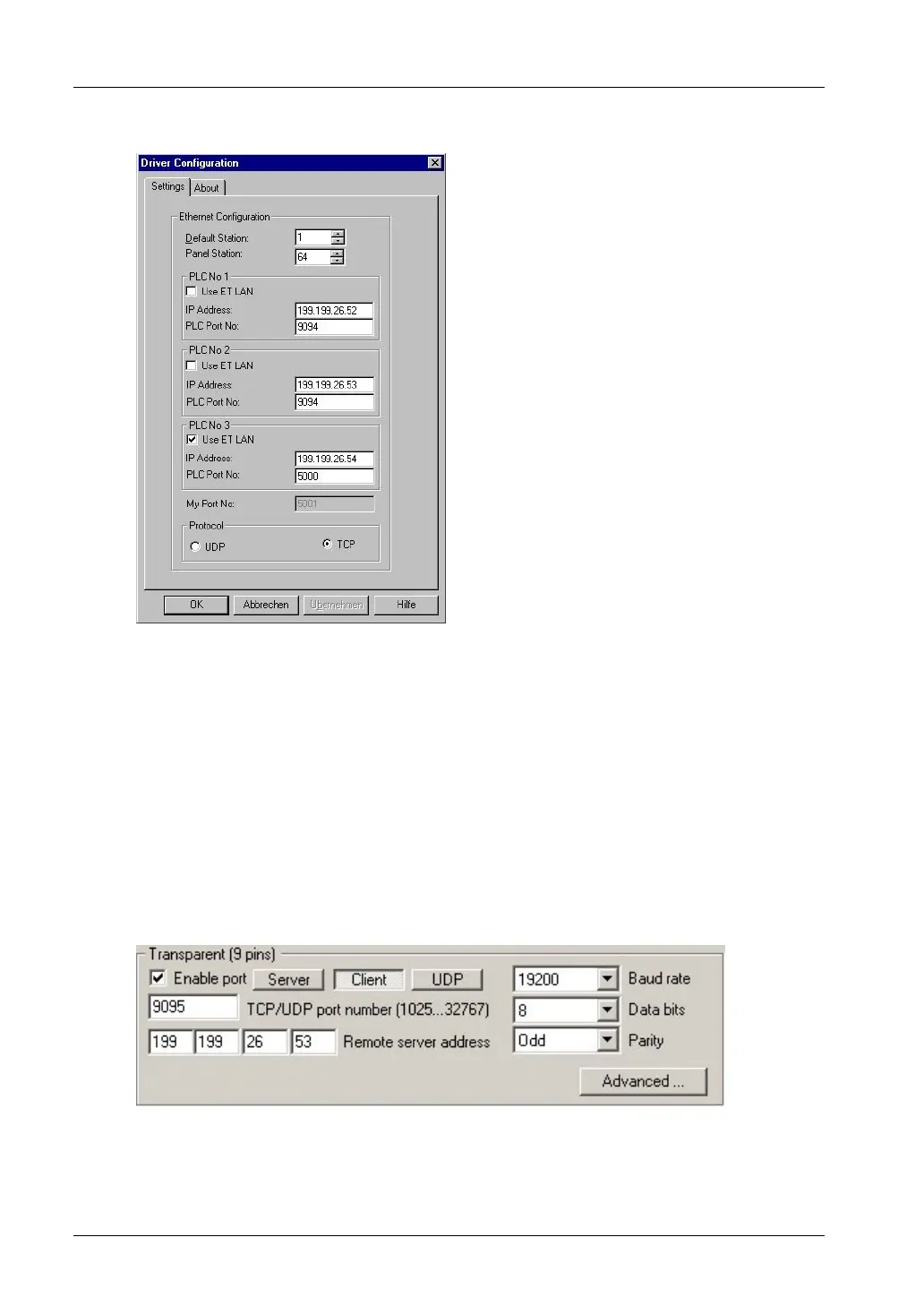
The following settings in GKWIN are required:
Comments:
If the FP Web-Server is connected, do not activate the check box "Use ET-LAN"! In the
setup example above, only PLC No. 3 is an ET-LAN unit.
Any communication via Ethernet must be stopped before a new configuration is sent to
the FP Web-Server. For example, the FPWIN Pro online mode must be ended before
changing the configuration of the FP Web-Server. Terminate access to a GK panel
before changing/updating the FP Web-Server configuration.
c) Using a second FP Web-Server setup as transparent port client, RS232
communication via Ethernet can be established. Such a port client can be used for:
Programs (DOS programs) with no Ethernet support that use the RS232 port only
To upgrade any RS232 device with Ethernet connectivity, set up the transparent port as
follows:



 To Next Page