Additional Information
FP Web-Server V2.11
168
15.5 Setup of an Individual Ethernet LAN
If no connection to an existing Ethernet network is used, you will find a couple of helpful remarks
in the following paragraph.
Private email server:
For using the email functions in such a "mini-network", an Email-Server has to be installed on
the (or on one of the) computer. For example, on the Panasonic Ethernet exhibition board the
Email-Server "1
st
Class Mail Server 2.0" by "1cis.com" was used successfully. For further
information, refer to Details on the Email-Server (see page
64).
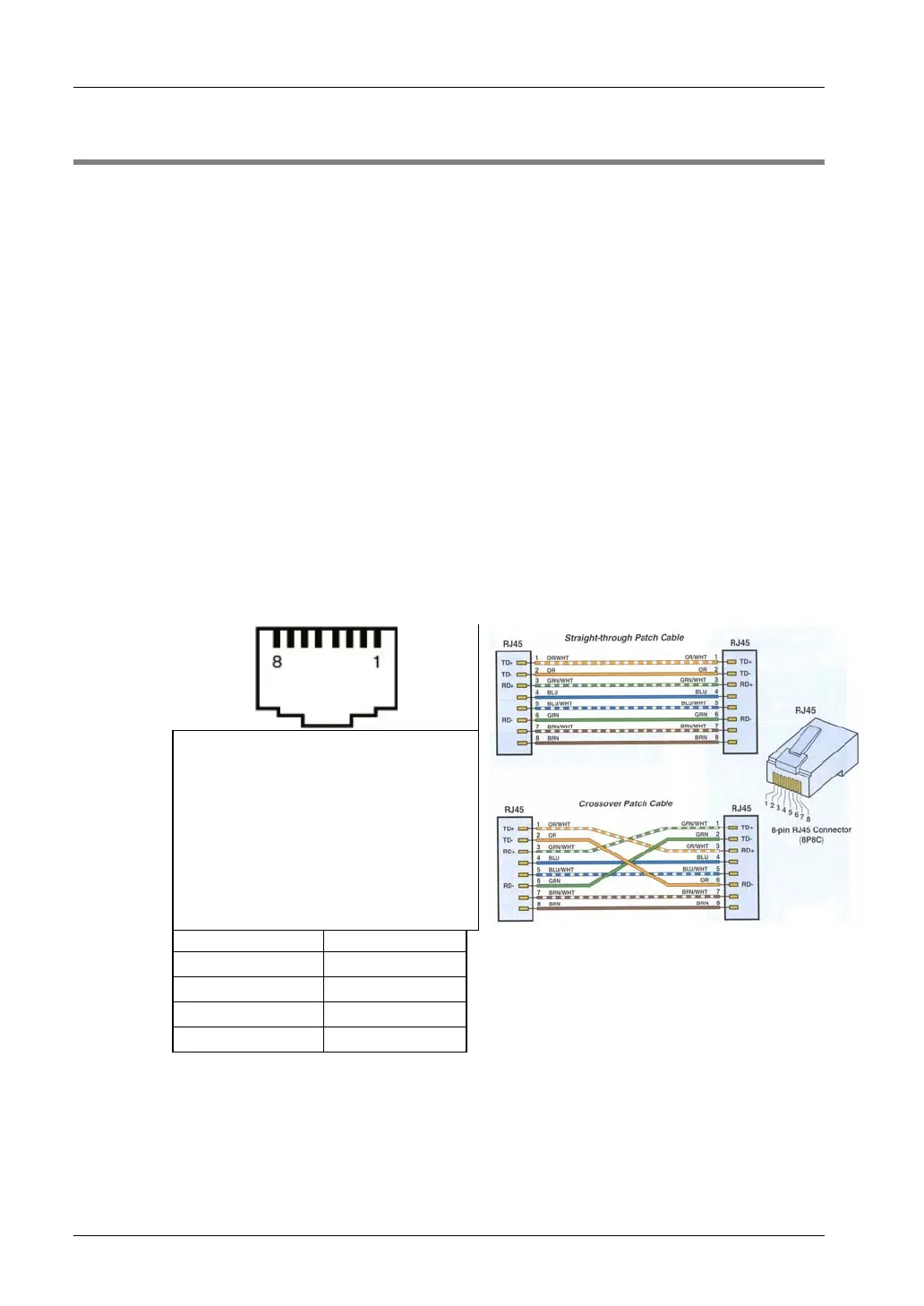
Following two different Ethernet cables are used:
1. Direct 1:1 connection:
In the following example, only one computer should be used for carrying out the
configuration of one or several FP Web-Servers:
If only one computer (with Ethernet card) should be connected with one FP Web-Server
pier-to-pier, a crossover-cable can be used between the computer and the FP
Web-Server. Please use the following pin allocation for setting up a cable for connecting
two Ethernet network interfaces (hubs, cascading, FP Web-Server to computer, etc.):
- Ethernet (10-Base-T / 100-Base-Tx) use Standard Ethernet CAT.5 Crossover
Cable:
Ethernet 10-Base-T / 100-Base-Tx
Crossover Cable
RJ45 #1 Pin RJ45 #2 Pin
1TX_D1+ 3RX_D2+
2TX_D1- 6RX_D2-
3RX_D2+ 1TX_D1+
6RX_D2- 2TX_D1-
2. Standard network connection:
If more than one FP Web-Server should be connected with one (or several) computer, a
hub or switch has to be used as a star coupler. A standard Ethernet 10BaseT hub can
be used as a star coupler. When using a hub, you can use standard Ethernet twisted
pair cables along with it.



 To Next Page