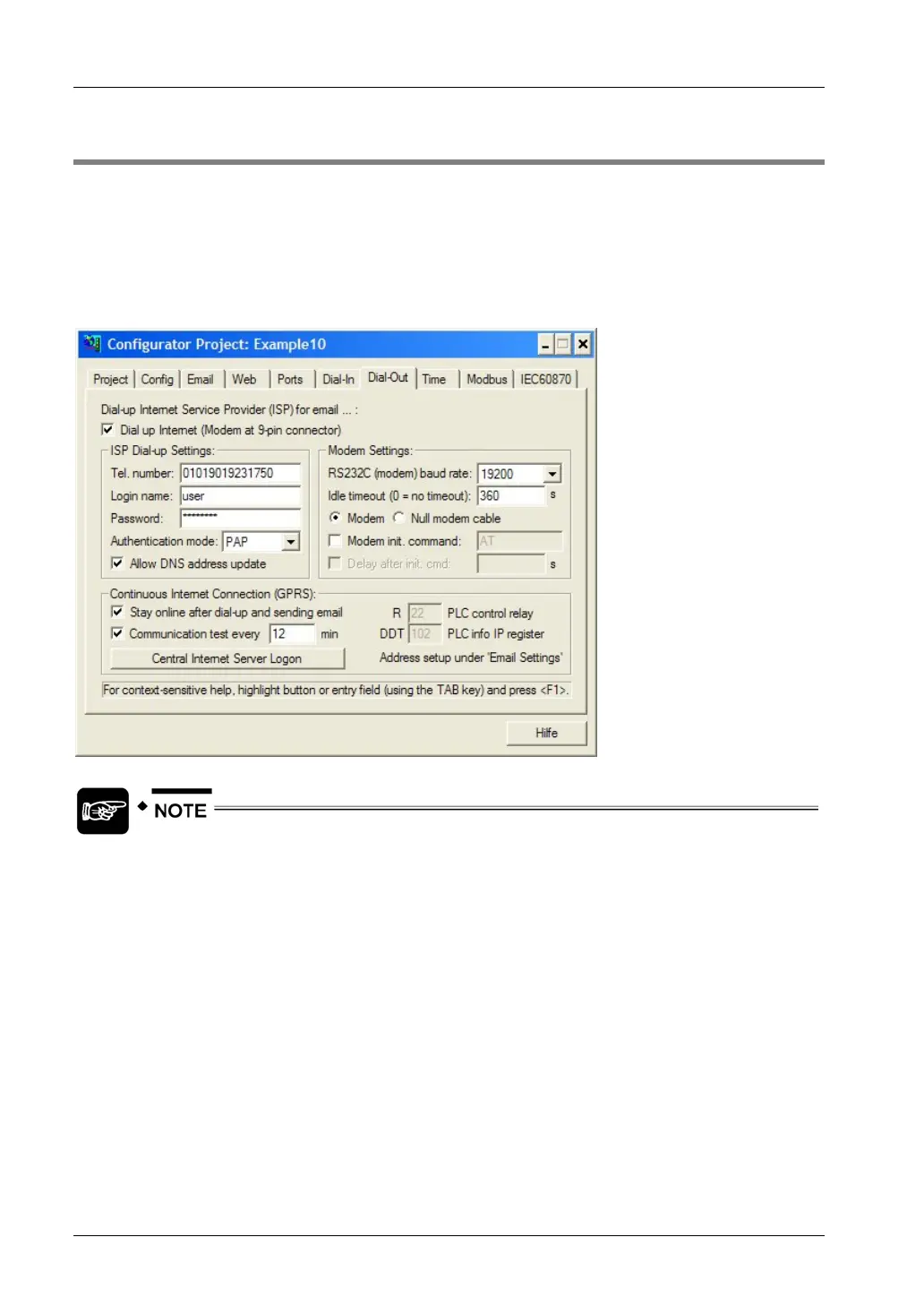
Dial-Out Setup for PPP-Client
FP Web-Server V2.11
138
10.2 Internet Dial-Out Settings
Open the "Dial-Out" Tab in the Configurator and enable the check box "Dial-up Internet Service
Provider (ISP) for email..." to configure the settings for:
• ISP Dial-up
• Modem
• Continuous Internet connection
The modem must be set up to support the RTS/CTS flow control. Together with
the PPP-Client, we recommend enabling the PPP-Server (see page
127). It also
allows you to enter an optional, additional, user-defined modem initialization
command.
For a detailed description of each field or button in the dialog, set the cursor into the field and
press <F1> or highlight the button with <Tab> and press <F1>.



 To Next Page