Modbus Functions
FP Web-Server V2.11
146
12.2 Modbus-TCP Server of the FP Web-Server in General
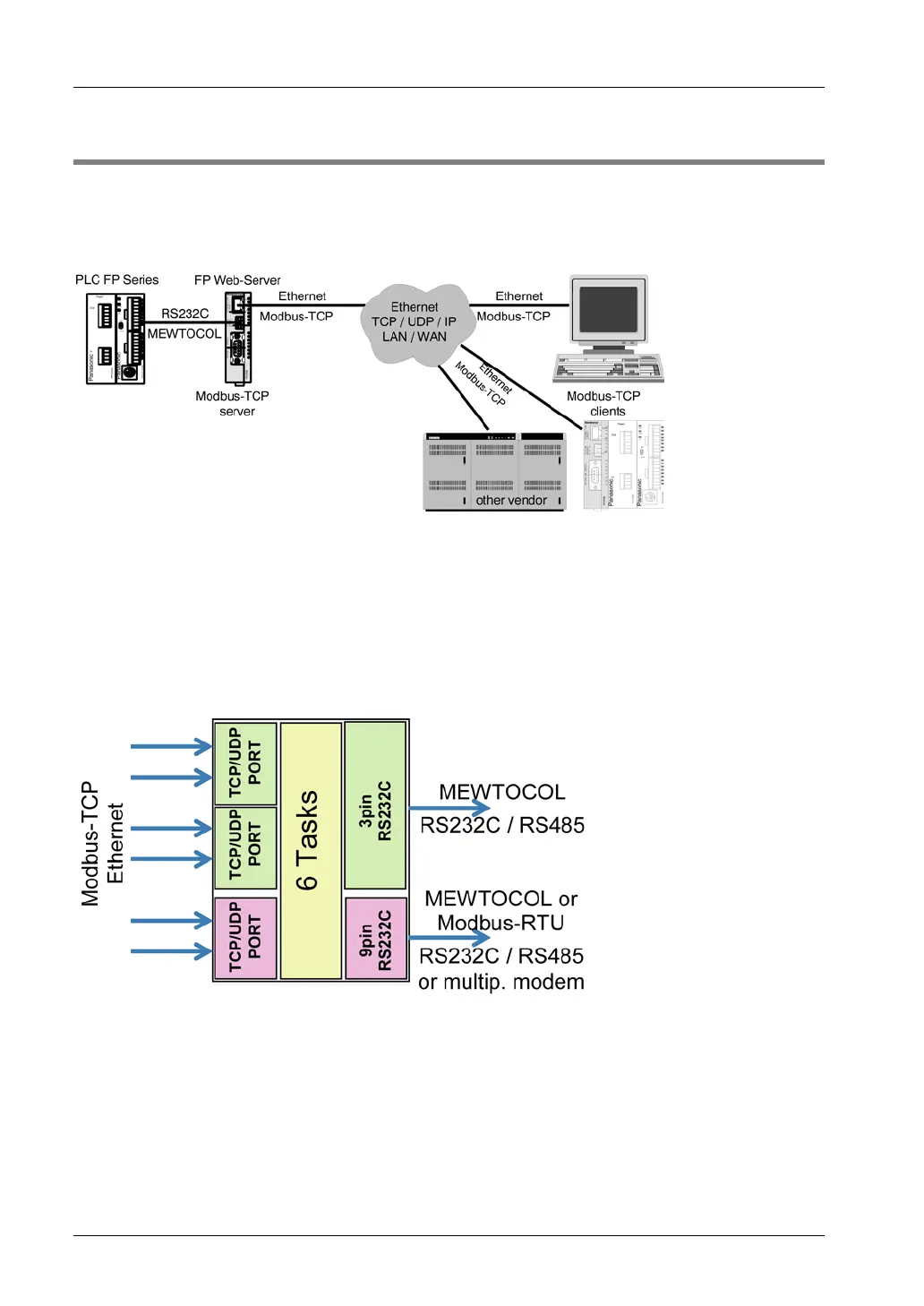
The FP Web-Server can be accessed by a Modbus-TCP client (SCADA) via Ethernet for PLC
data communication. To do so, the FP Web-Server requests PLC data (MEWTOCOL protocol)
via the 3-pin or/and 9-pin RS232C port. The 9-pin RS232C can alternatively communicate via
Modbus-RTU protocol with a Modbus-RTU slave unit.
Modbus-TCP communication can also occur via modem. To do so, the client must first dial up
the FP Web-Server's PPP-Server to establish a modem connection.
The Modbus-TCP server can handle up to 6 client connections simultaneously. If there are
already 6 connections and another client wishes to establish a connection, the oldest
connection can be ended automatically.
Up to 3 different port numbers are possible. Alternatively, these ports can be switched to UDP
communication where each UDP port is assigned one task. Both of the FP Web-Server's
RS232C ports can be addressed.
Features:
• The Modbus-TCP client can address the FP Web-Server's two RS232C ports
(MEWTOCOL or Modbus-RTU) by using a port number or unit ID.
Detailed information:
For more information on Modbus-TCP server settings and the respective server
functions, please refer to the online help under the keyword "Modbus-TCP Server
Settings".



 To Next Page