Configurator Software
FP Web-Server V2.11
46
4.1 General Information on the FP Web-Server
Configurator
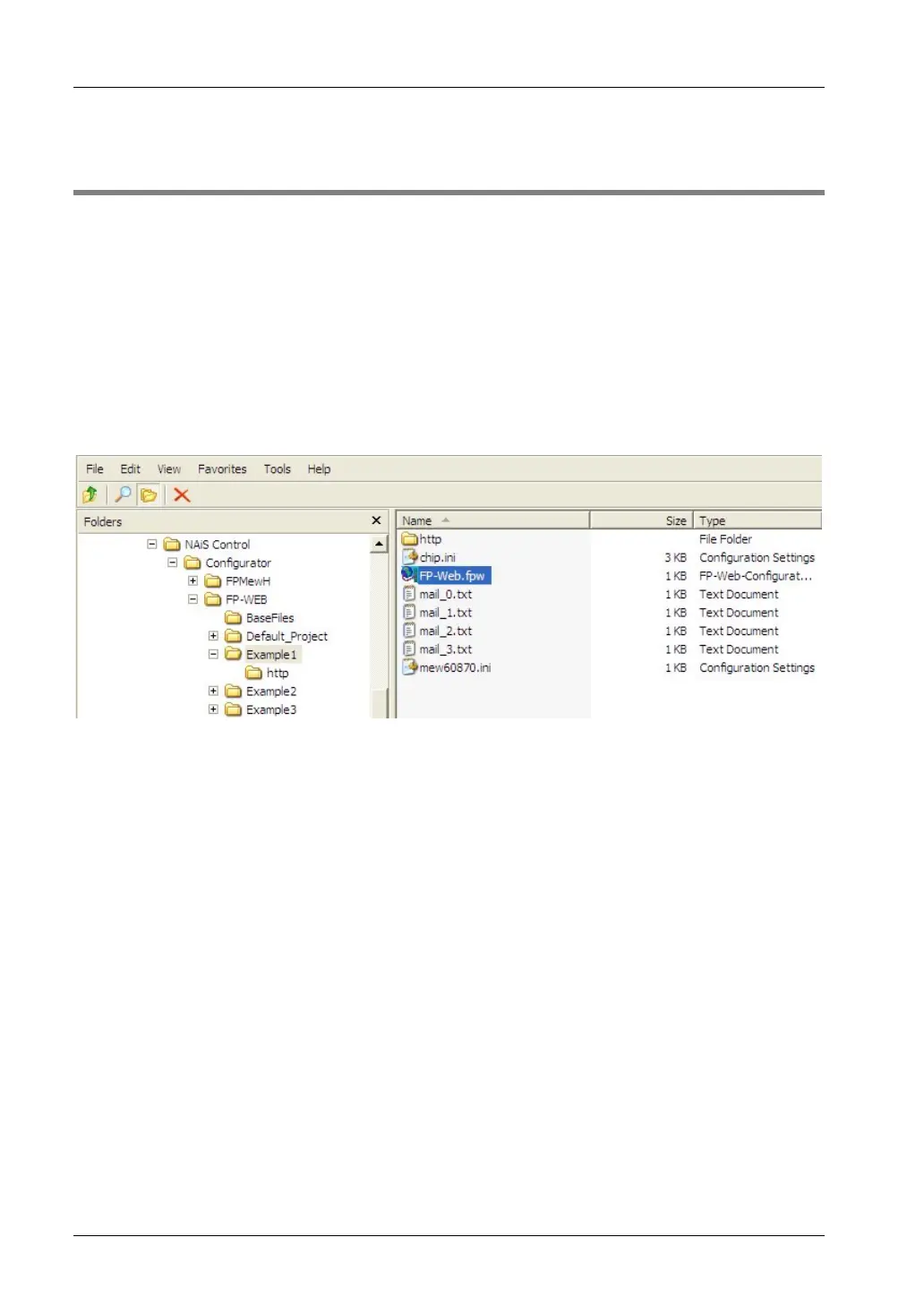
The FP Web-Server Configurator administers "Configurator projects". These consist of:
• FP Web-Server project file (FP-Web.fpw)
• FP Web-Server configuration (CHIP.INI file)
• IEC 60870 configuration (mew60870.ini)
• Email texts (MAIL_x.TXT files)
• Web files (MAIN.HTM; *.HTM; *.GIF; *.JPG; *.XML ...)
Every "Configurator project" is stored in a separate folder. Email text files, .INI text files and a
subfolder "http" in which all in Web pages for the FP Web-Server are stored belong to a project.
There are 3 ways to start the FP Web-Server configurator:
1. Start -> Program Files ->Panasonic MEW Control/Configurator/FP-WEB2/FP-WEB
Configurator 2
2. Double-click the project file *.fpw of the project within the file explorer
3. Via a DOS command line that includes the configuration to be opened, e.g. C:\Program
Files\Panasonic MEW Control\Configurator\FP-WEB2\FP_Web.exe
example1/FP-Web.fpw
To administer ([OPEN], [SAVE]...) "Configurator projects", edit the configuration (including
email texts and Web files) and to control the FP Web-Server (transmission of files, initialization,
reboot...), the FP Web-Server Configurator provides the following main components:
• Control Buttons (see page
45)
• Base Configuration (see page
51)
• Email Configuration and Texts (see page
55)
• Web files and Editor Call (see page
69)
• TCP/RS232C Ports Configuration (see page
103)
• PPP-Server Configuration (see page
109)



 To Next Page