FP Web-Server V2.11
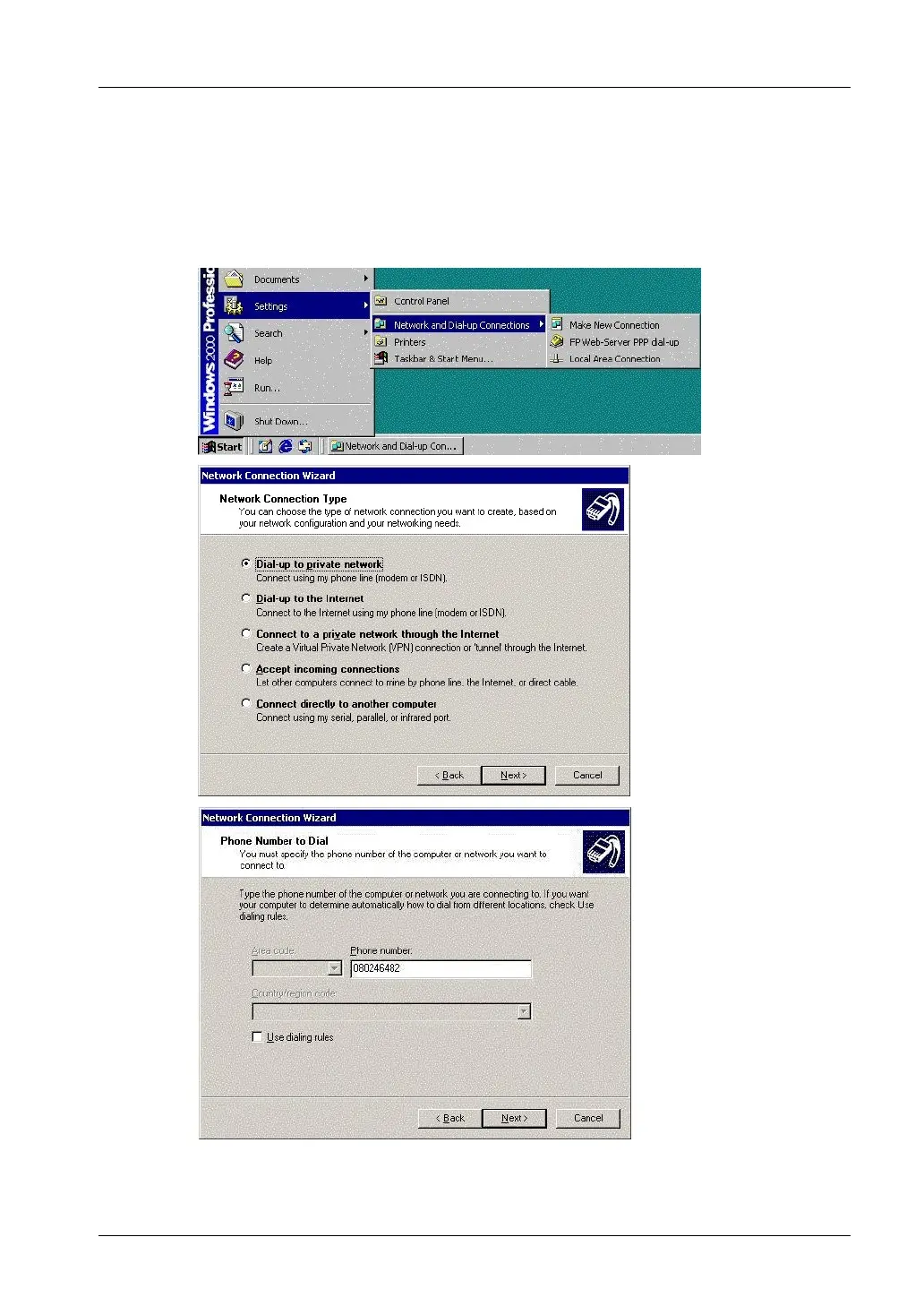
9.1 Dial-up Networking Setup for Computer/ FP Web-Server
113
In "system settings", "network", a dial-up networking adapter with TCP/ IP protocol
(Optional: the client gets his address automatically from the server.) should be
installed now. For details on the TCP/ IP installation on a Windows computer, refer
to the online help under TCP/IP Setup: Configurator/Browser Operations Via LAN.
4. Double-click "Create New Connection" in the folder "Dial-up Networking"
and create a new entry by entering the respective data



 To Next Page