Dial-In Setup for PPP-Server
FP Web-Server V2.11
126
The page "MAIN.HTM" as setup with the configurator should be displayed.
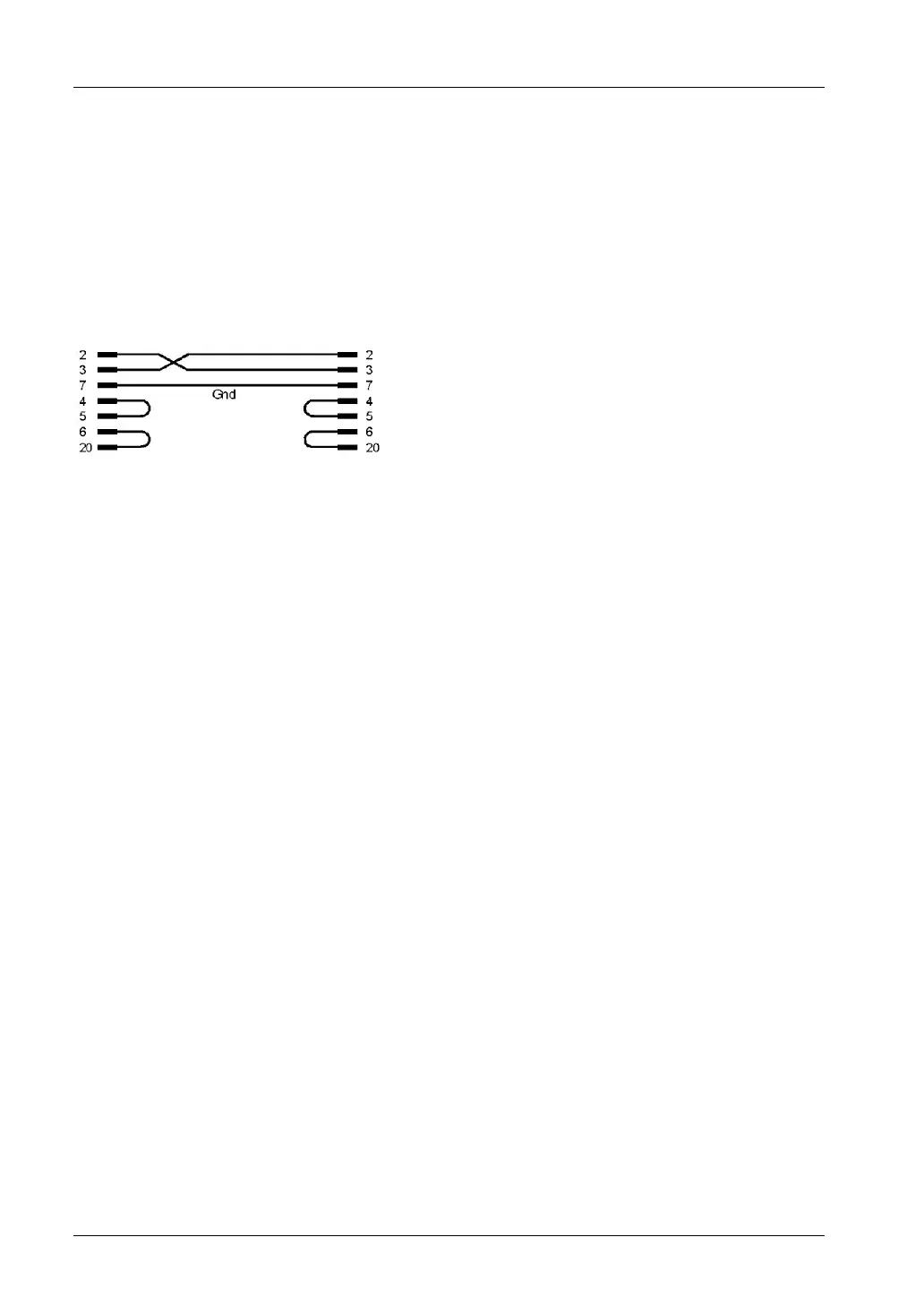
Pin assignment of the RS232C null modem cable
The computer's COM port is directly connected to the FP Web-Server's 9-pin port via a null
modem cable.
Use a standard null modem adapter having 9-pin, female, RS232C connectors on both sides.
The minimum wiring should be as follows: 2-3 ; 3-2 ; 5-5. (This is the minimum number of wires
needed.) The minimum wiring connects the GND and the data lines only. A 25-pin connection
should be as follows:
Comment:
The bridges 4-5 and 6-20 on each side are not absolutely necessary. They are only essential for
questions of compatibility.



 To Next Page