FP Web-Server V2.11
15.7 Troubleshooting
175
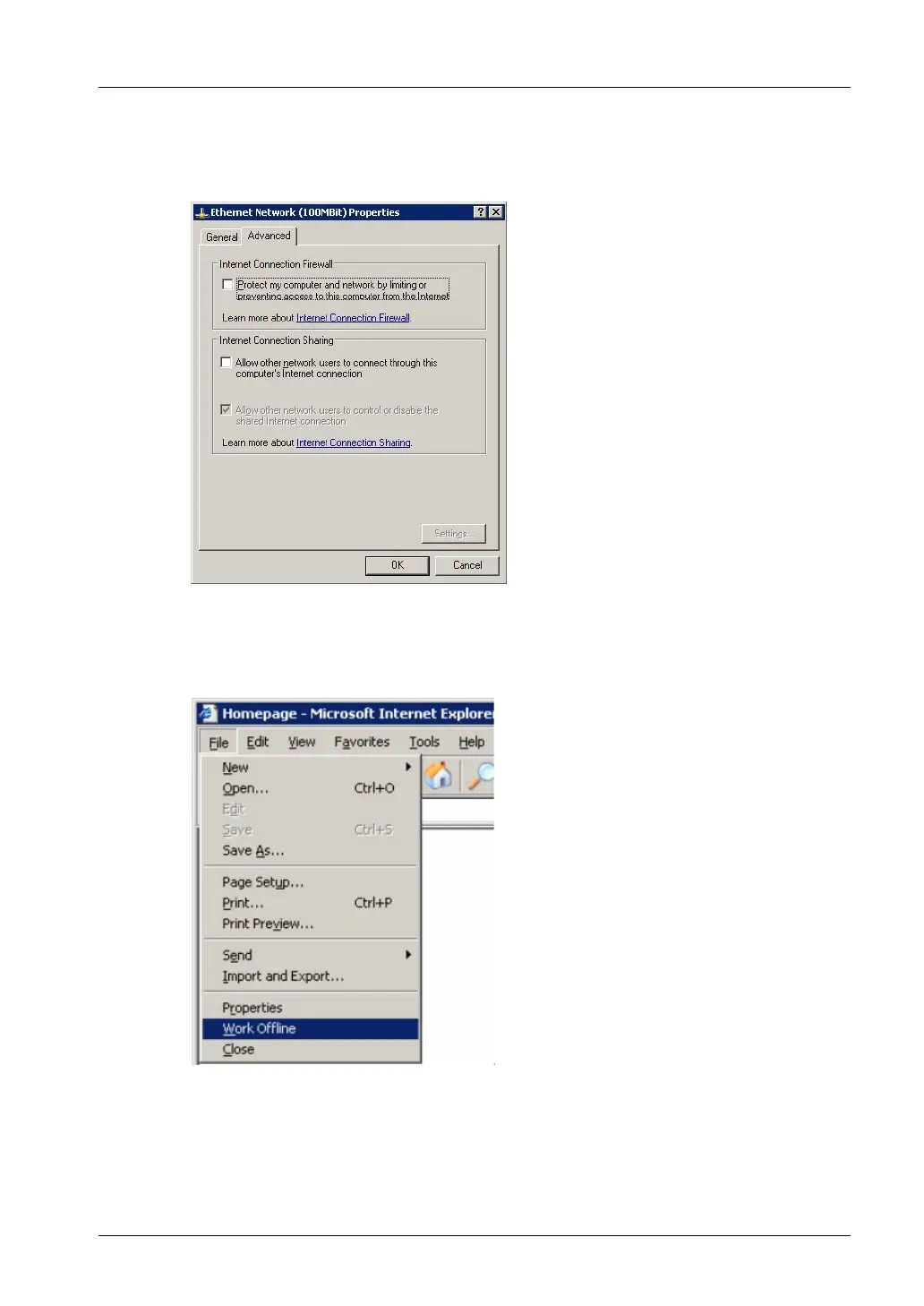
a) Disable the WindowsXP firewall on your LAN connection
For this go to "Settings / Network connections" and open the properties of the
Ethernet/LAN card. Under "Advanced" disable the firewall function.
b) If [Send] or [Send File] does not work
You receive an error message: "The computer is disconnected from the network".
Start the Internet-Explorer, open "File" menu and remove the checkmark at "Work
Offline".



 To Next Page