Getting Started
FP Web-Server V2.11
8
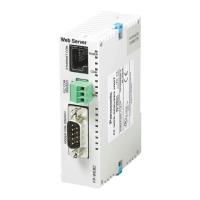
FP Web-Server Functions:
The FP Web-Server works as an interface between a LAN or a WAN network (Internet/ Intranet)
and all PLCs of the FP Series. The following main features are supported:
RS232C/ Ethernet Interface (see page
104):
• RS232C to Ethernet redirection/ conversion
• Programming and visualization tools access via Ethernet
• Optional: password protection and IP lock security
• Optional second, full transparent port
Web-Server (see page
70):
• PLC data presented as HTML pages
• Access via standard Internet browser
• HTML entry field for PLC data exchange
• Optional password protection
• Optional PLC data display using Java applets
• PLC data delivery as XML files
Email (see page
56):
• PLC can send out an email
• PLC defined or pre-stored email text
• Email sending via LAN or Internet dialup
• Optionally with PLC data attachments
Modem/ Ethernet Gateway (see "
Dial-up Networking Setup for Computer/ FP
Web-Server" on page
110):
• FP Web-Server can be dialed up via modem for local or network access
• One remote gateway for multiple FP Web-Servers provided in a local Ethernet network
• Remote password handling
Optional IEC60870 protocol (see page
152):
• IEC60870-5-101 standard telecontrol communication protocol via serial interfaces
• IEC60870-5-104 standard communication protocol via Ethernet
• Optionally with modem support
Optional Network Time Server (see page
140):
• PLC real-time clock can be synchronized via NTP server


 To Next Page