9
VQT2V00
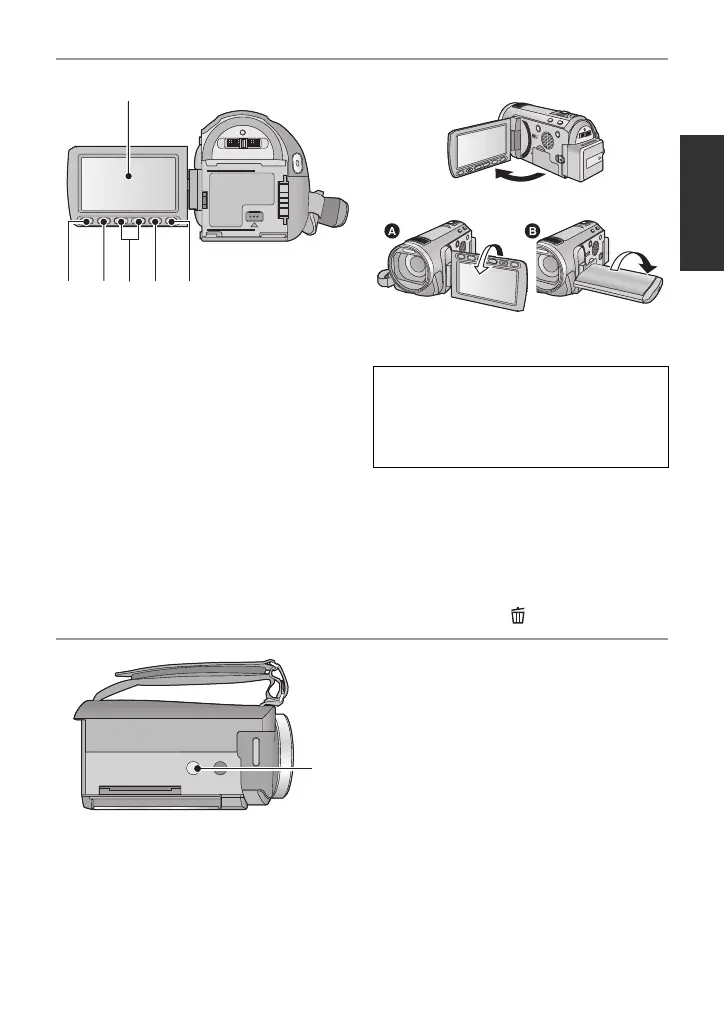
21 LCD monitor (Touch screen) (l 19)
≥ It can open up to 90o.
≥ It can rotate up to 180o A towards the lens
or 90o B towards the opposite direction.
22 Quick menu button [Q.MENU] (l 32)
23 Sub recording start/stop button
(l 21)
≥ This button functions in the same manner
as the recording start/stop button.
24 Adjust zoom buttons (l 42)
25 Menu button [MENU] (l 31)
26 Delete button [ ] (l 82)
27 Tripod receptacle
21
22 23 24 25
26
Due to limitations in LCD production
technology, there may be some tiny bright
or dark spots on the LCD monitor screen.
However, this is not a malfunction and
does not affect the recorded picture.
27















 To Next Page