13
6.5 Main setting mode
To enter the Main setting mode, press key in the PV/SV display mode.
To set or select each setting item, use or key, then register the value with key.
Setting item numbers such as [1], [2], etc. are the same as those on the “6.4 Operation flowchart” (p.12).
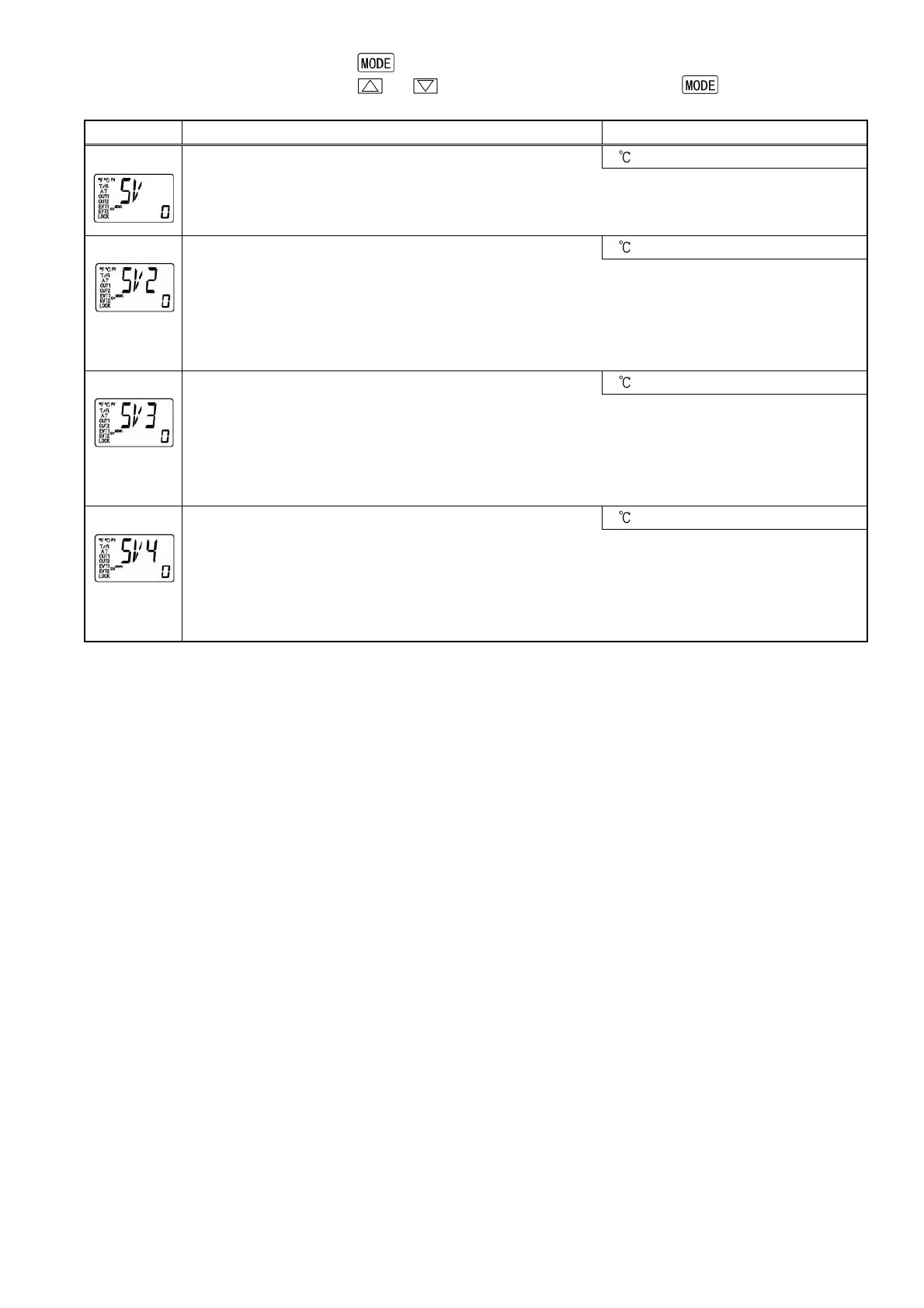
Character Name, Function, Setting range Default value
SV setting
0
[1]
• Sets SV.
• Setting range: Scaling low limit to Scaling high limit
SV2 setting
0
[2]
• Sets SV2.
Not available if the Contact input option is not applied, if Serial communication option is
applied, or if OUT/OFF external selection 2 is selected during Contact input function
selection.
• Setting range: Scaling low limit to Scaling high limit
SV3 setting
0
[3]
• Sets SV3.
Not available if the Contact input option is not applied, if Serial communication option is
applied, or if OUT/OFF external selection 1 or 2 is selected during Contact input
function selection.
• Setting range: Scaling low limit to Scaling high limit
SV4 setting
0
[4]
• Sets SV4.
Not available if the Contact input option is not applied, if Serial communication option is
applied, or if OUT/OFF external selection 1 or 2 is selected during Contact input
function selection.
• Setting range: Scaling low limit to Scaling high limit


 To Next Page