38
12.3 Communication parameter setting
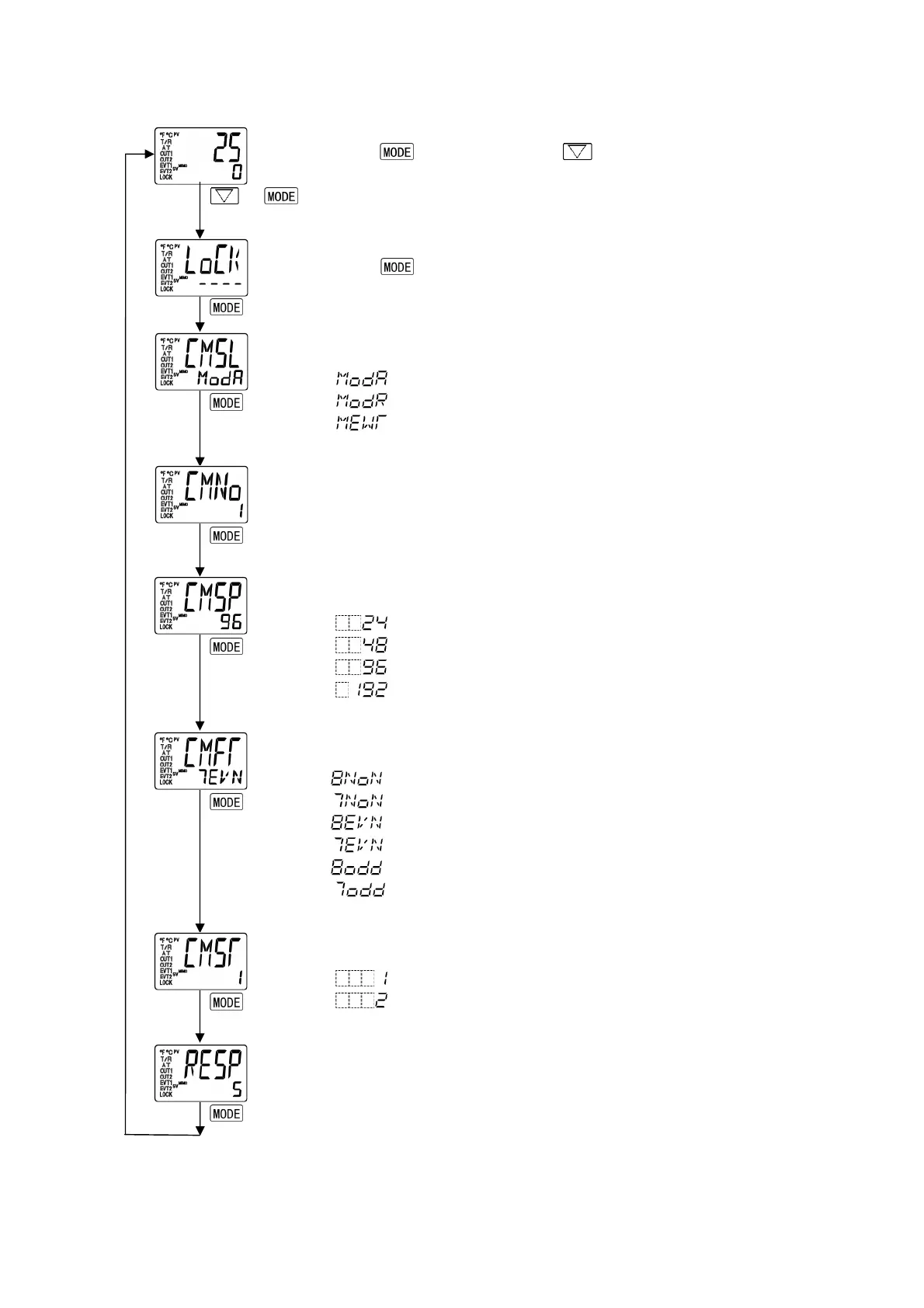
Set each parameter following the procedures below.
Setting item numbers such as [17, [19], etc. are the same as those on the “6.4 Operation flowchart”. (p.12)
(1)
+
Proceed to Auxiliary function setting mode.
Press key while pressing key in the PV/SV display mode.
The unit proceeds to Auxiliary function setting mode.
(2)
[17]
(Twice)
Auxiliary function setting mode
Press key twice.
The unit proceeds to Communication protocol selection.
(3)
[19]
Communication protocol selection
Select the communication protocol.
: Modbus ASCII mode (Default)
: Modbus RTU mode
: MEWTOCOL (Slave)
(4)
[20]
Instrument number setting
Set the instrument number of the controller individually when
communicating by connecting plural instruments.
1 to 99 (Default: 1)
(5)
[21]
Communication speed selection
Set the communication speed equal to that of the host computer.
: 2400bps
: 4800bps
: 9600bps (Default)
: 19200bps
(6)
[22]
Data bit/Parity selection
Select the data bit and parity.
: 8 bits/No parity
: 7 bits/ No parity
: 8 bits/Even
: 7 bits/Even (Default)
: 8 bits/Odd
: 7 bits/Odd
(7)
[23]
Stop bit selection
Select the stop bit.
: 1 (Default)
: 2
(8)
[24]
Communication response time setting
Set the minimum response time.
5 to 99 (Default: 5ms)


 To Next Page