Sending Faxes
-37-
Fax
Sending a fax manually
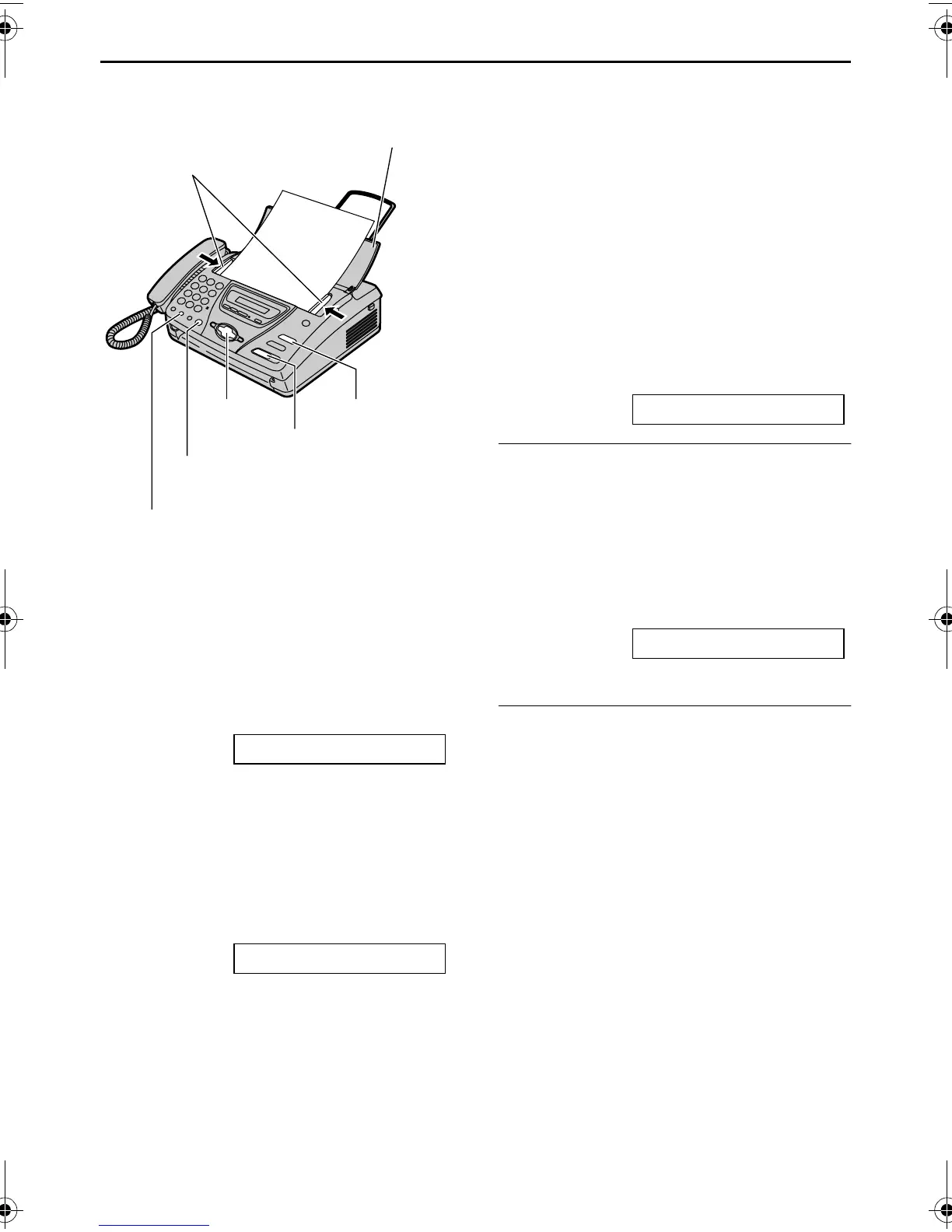
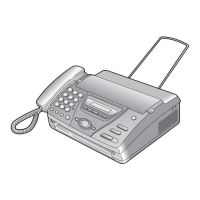
1 Open the document feeder tray.
2 Adjust the width of the document
guides to the size of the document.
3 Insert the document (up to 10 pages)
FACE DOWN until the unit grasps the
document and a single beep is heard.
STANDARD [±]
4 If necessary, press {+} or {-}
repeatedly to select the desired
resolution.
5 Press {MONITOR} (KX-FT74)/
{DIGITAL SP-PHONE} (KX-FT78) or
lift the handset.
TEL=
6 Dial the fax number.
7 Start sending.
When a fax tone is heard:
Press {FAX/START}, and replace the
handset if you are using it.
When the other party answers your
call:
Ask them to press their start button.
When the fax tone is heard, press
{FAX/START} and replace the
handset if you are using it.
CONNECTING.....
To redial the last number
Press {REDIAL/PAUSE}.
L If the line is busy, the unit will
automatically redial the number up to 5
times.
L During redial, the following will be
displayed.
WAITING REDIAL
L To cancel redialling, press {STOP}.
To select the resolution
Select the desired resolution according to
the type of document.
– “STANDARD”: For printed or
typewritten originals with normal-sized
characters.
– “FINE”: For originals with small printing.
– “SUPER FINE”: For originals with very
small printing. This setting only works
with other compatible fax machines.
– “PHOTO”: For originals containing
photographs, shaded drawings, etc.
L Using the “FINE”, “SUPER FINE” or
“PHOTO” setting will increase
transmission time.
L If the resolution setting is changed
during feeding, it will be effective from
the next sheet.
FACE DOWN
{STOP}
Document guides
Document feeder tray
{MONITOR} (KX-FT74)
{DIGITAL SP-PHONE} (KX-FT78)
{FAX/START}
{REDIAL/PAUSE}
{+} {-}
FT74-78HK.book Page 37 Friday, June 28, 2002 9:45 AM



 To Next Page