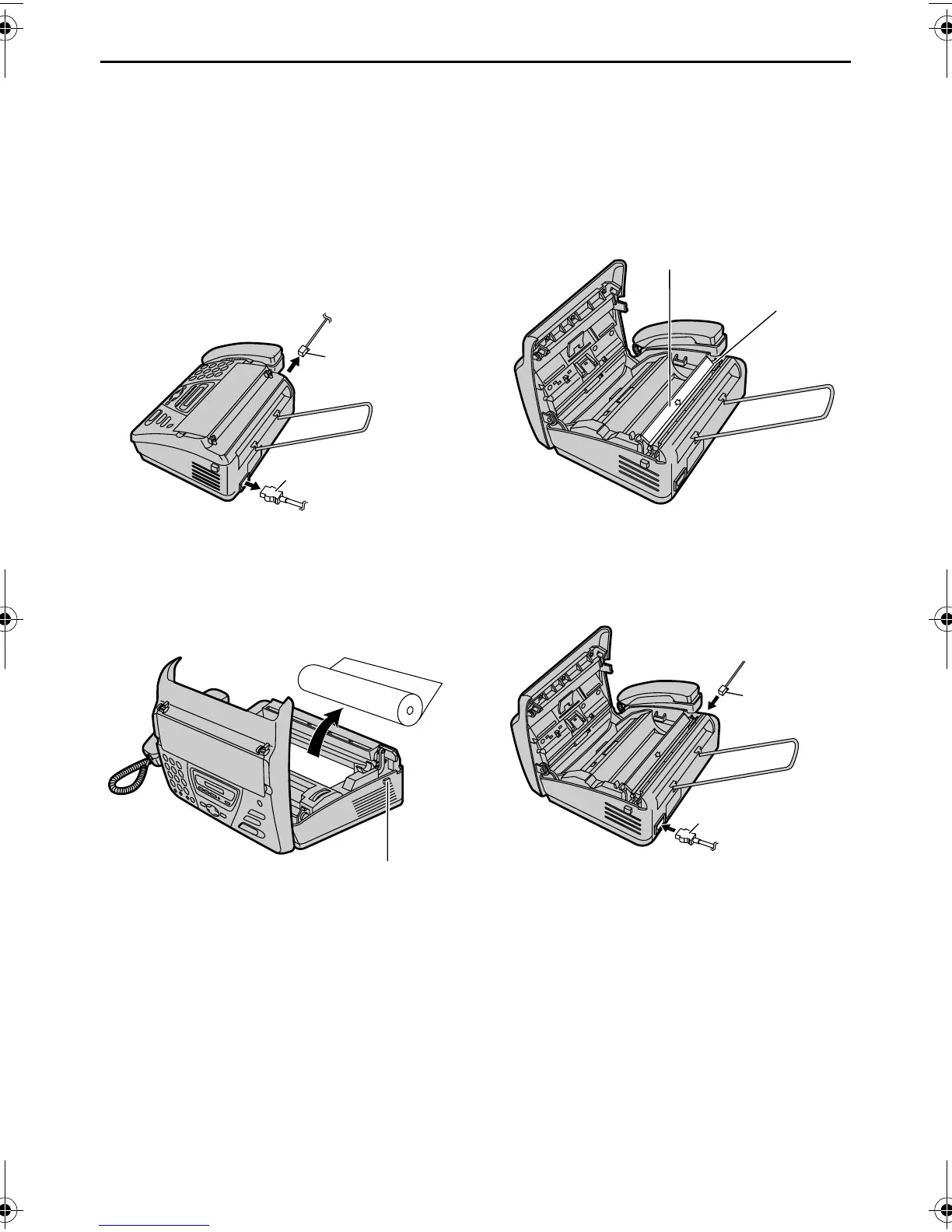
Cleaning
-86-
Thermal head and head cover
If dirty patterns or black/white bands
appear on a copied/received document,
check whether there is dust on the thermal
head and head cover. Clean them to
remove the dust.
1 Disconnect the power cord and the
telephone line cord.
2 Open the cover by pressing the cover
open button and remove the recording
paper roll.
3 Clean the thermal head and head
cover with a cloth moistened with
isopropyl rubbing alcohol, and let all
parts dry thoroughly.
4 Connect the power cord and the
telephone line cord.
Telephone
line cord
Power cord
Cover open
button
Thermal head
Head cover
Power cord
Telephone
line cord
FT74-78HK.book Page 86 Friday, June 28, 2002 9:45 AM



 To Next Page