Quick Start
-7-
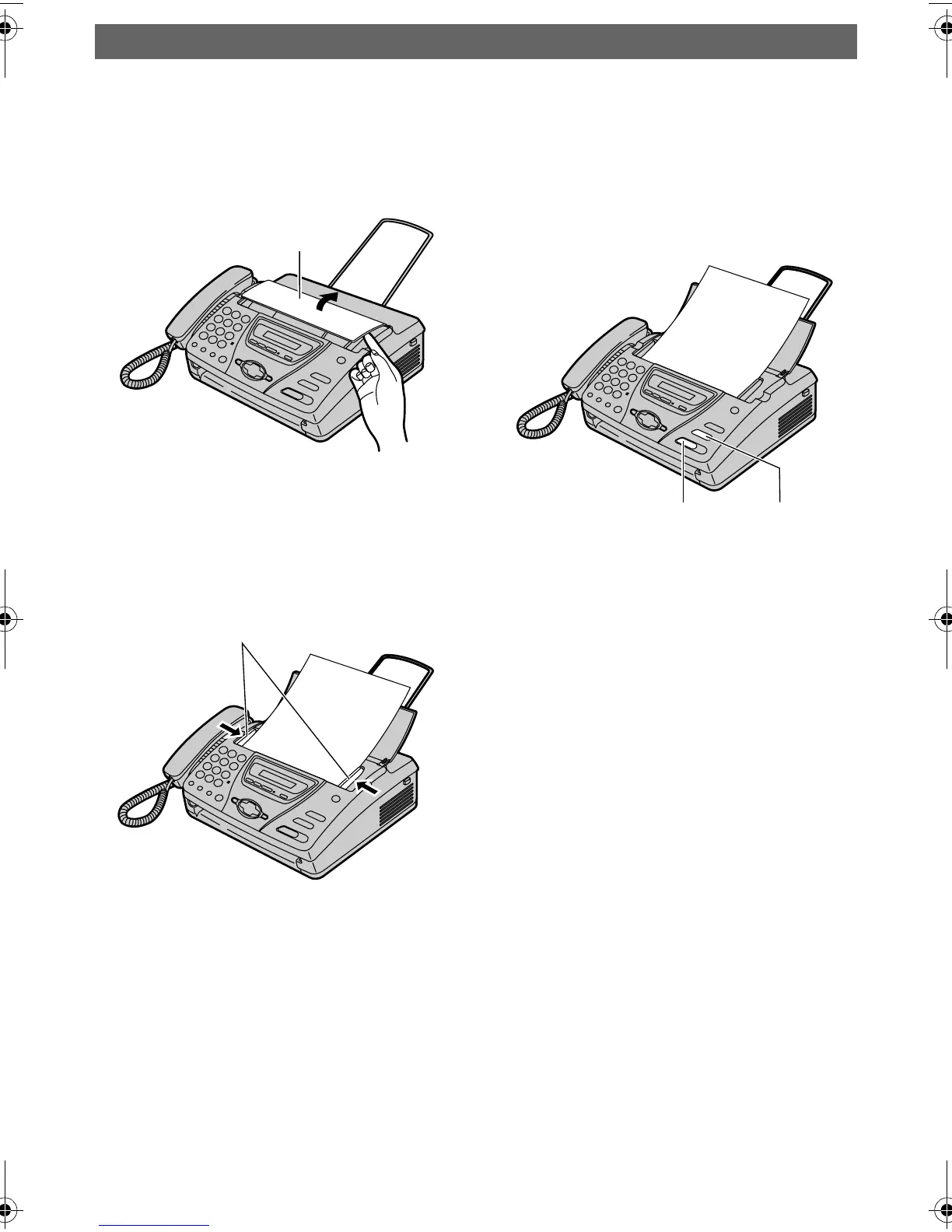
Fax – sending / Copying
1 Open the document feeder tray.
2 Adjust the document guides,
and insert the document up to
10 pages.
3 To send a fax, dial the fax
number and press
{FAX/START}.
To make a copy, press {COPY}.
LFor further details, see page 37,
56.
Document
feeder tray
FACE DOWN
Document guides
FACE DOWN
{FAX/START}{COPY}
FT74-78HK.book Page 7 Friday, June 28, 2002 9:45 AM









 To Next Page