Quick Start
-6-
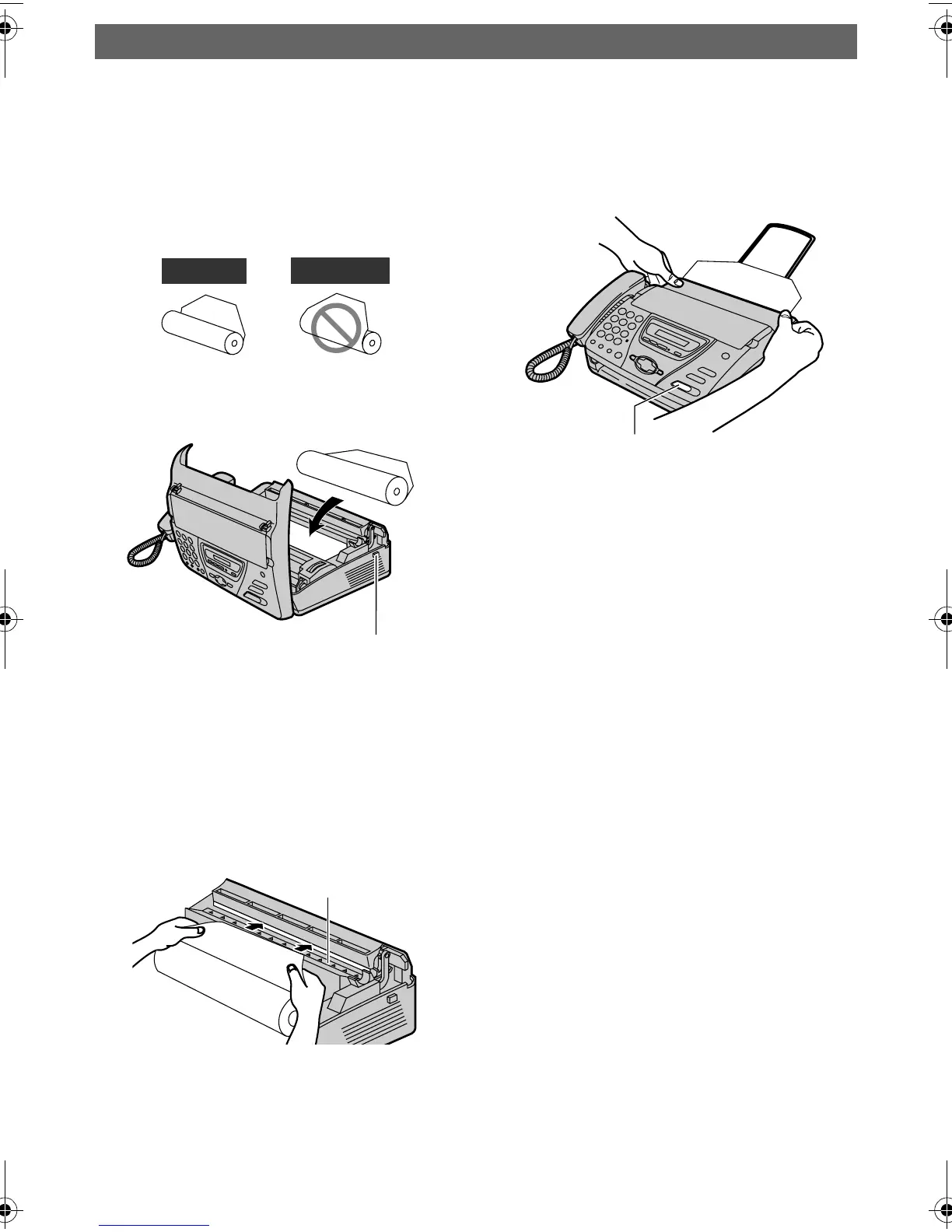
Installing the recording paper
1 Open the cover by pressing the
cover open button and install
the recording paper roll.
2 Insert the leading edge of the
paper into the opening above
the thermal head and pull it out
of the unit.
3 Close the cover securely by
pushing down on both sides.
4 Press {FAX/START}. The unit
will eject the paper slightly and
cut it.
LFor further details, see page 21.
Correct
Incorrect
Cover open
button
Thermal head
{FAX/START}
FT74-78HK.book Page 6 Friday, June 28, 2002 9:45 AM









 To Next Page