Jams
-82-
Jams
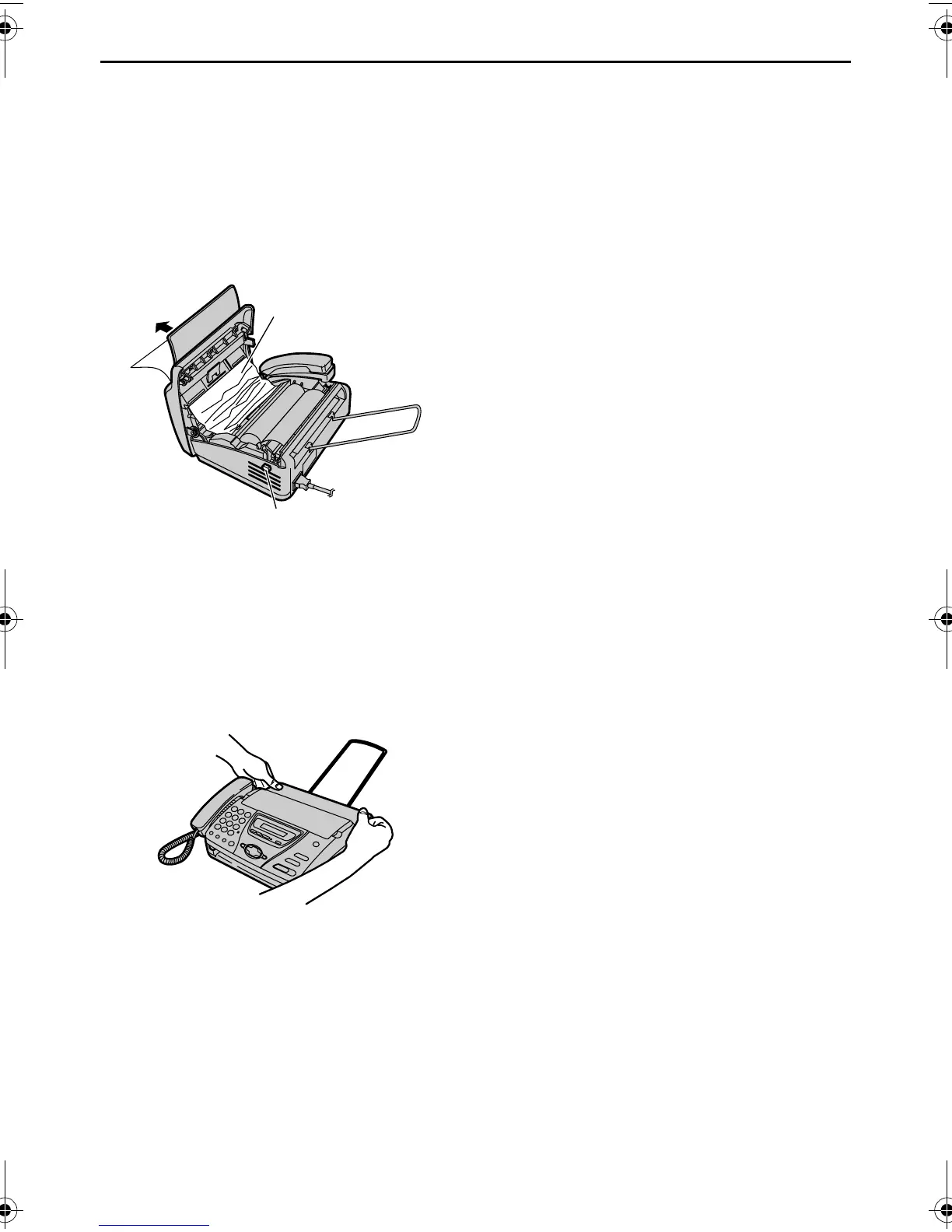
Document jams – sending
If the unit does not release the document
during feeding, remove the jammed
document.
1 Open the cover by pressing the cover
open button and remove the jammed
document carefully.
L Do not pull out the jammed
document forcibly before opening
the cover.
2 Close the cover securely by pushing
down on both sides.
Cover open
button
Jammed
document
FT74-78HK.book Page 82 Friday, June 28, 2002 9:45 AM



 To Next Page