Receiving Faxes
-47-
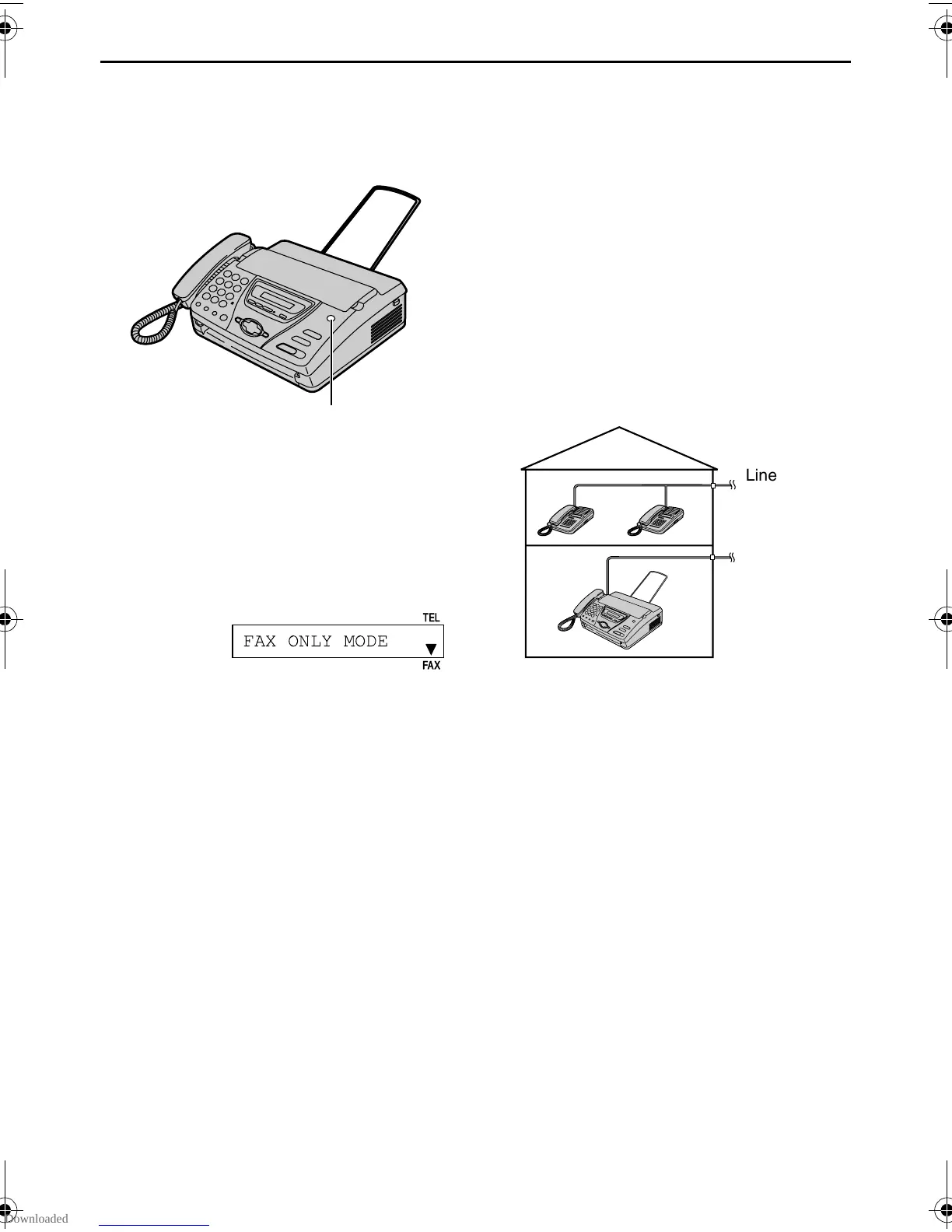
FAX ONLY mode (all calls are received as faxes)
Activating FAX ONLY mode
1 Set feature #05 to “FAX ONLY” (page
70).
2 If the arrow indicator on the display
points to “TEL”, press
{RECEIVE MODE}.
L When receiving calls, the unit will
automatically answer all calls and
only receive fax documents.
Note:
L The number of rings before a call is
answered in FAX ONLY mode can be
changed (feature #07 on page 70).
L This mode should not be used with a
telephone line which is used for both
phone calls and faxes. Fax
communication will be attempted even if
someone is trying to call you. We
recommend the following setup:
Example:
{RECEIVE MODE}
FAX ONLY MODE
FAX
TEL
Line 1
– Phone calls
Line 2
– Faxes
Only a fax machine is connected.
FT74-78HK.book Page 47 Friday, June 28, 2002 9:45 AM



 To Next Page