Receiving Faxes
-50-
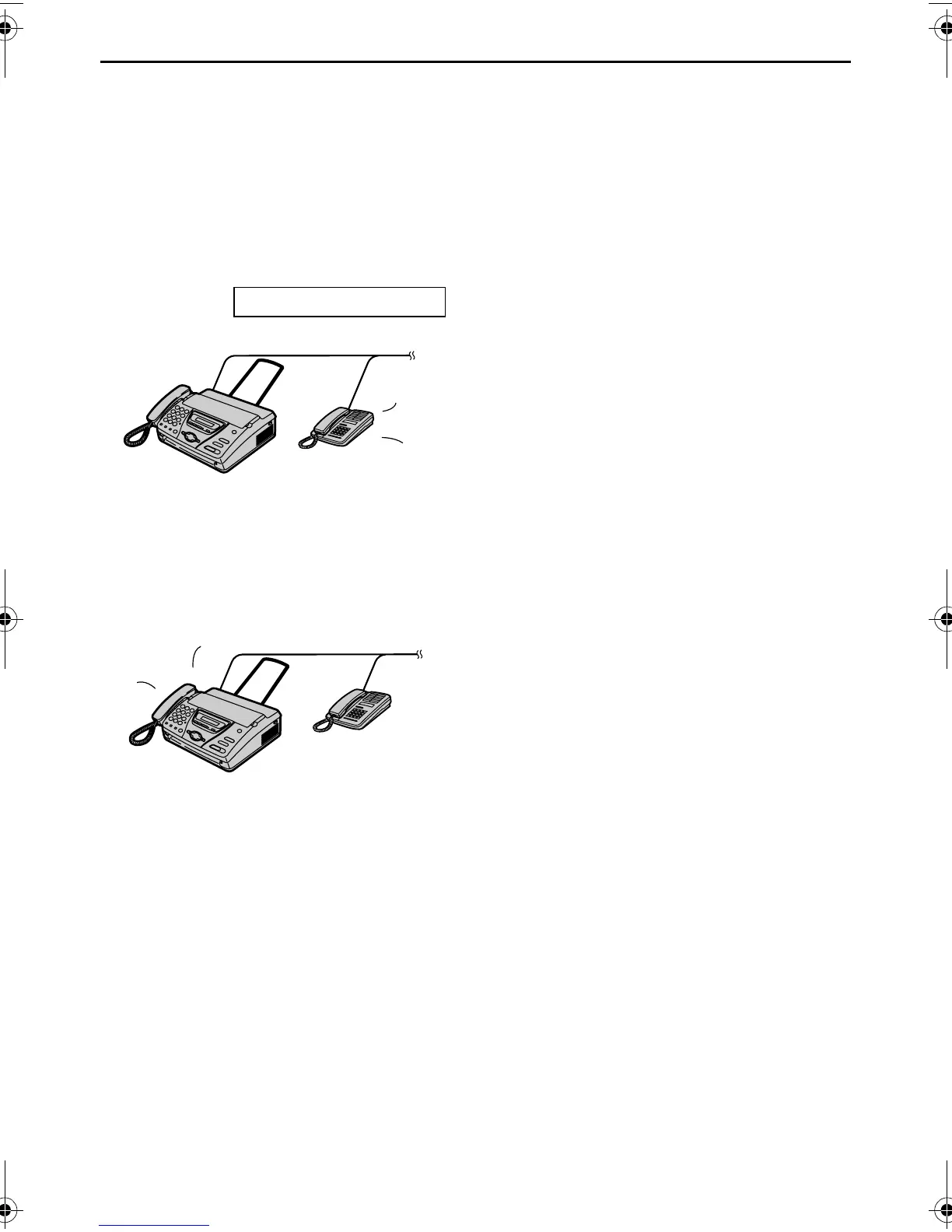
When an extension
telephone is connected and
a phone call is received
1 When a call is received, the fax
machine will not ring at this time, but
the extension telephone will ring 2
times.
INCOMING CALL
L Duration depends on “TEL/FAX
delayed ring setting”.
2 The extension telephone will not ring,
but the fax machine will ring 3 times.
L Duration depends on “Silent fax
recognition ring setting”.
L The calling party will hear a different
ring back tone.
L If you have recorded your own
TEL/FAX greeting message (page
58), it will be played to the calling
party (KX-FT78 only).
3 Answer the call.
You can answer the call with the
extension telephone.
1. Lift the handset.
2. Press {*}{0} while the ring back
tone is heard.
L This code can be changed in feature
#49 on page 74.
L If the call is not answered, the fax
machine will activate the fax function
for a case in which the other party’s
fax machine does not send a fax
calling tone.
Note:
L Even when you answer a call with the
extension telephone and press the code,
the fax machine may activate the fax
function depending on the type of an
extension telephone. Press {STOP} on
the fax machine to talk with the calling
party.
Ring
Ring
Ring
Ring
Ring
FT74-78HK.book Page 50 Friday, June 28, 2002 9:45 AM



 To Next Page