Quick Start
-9-
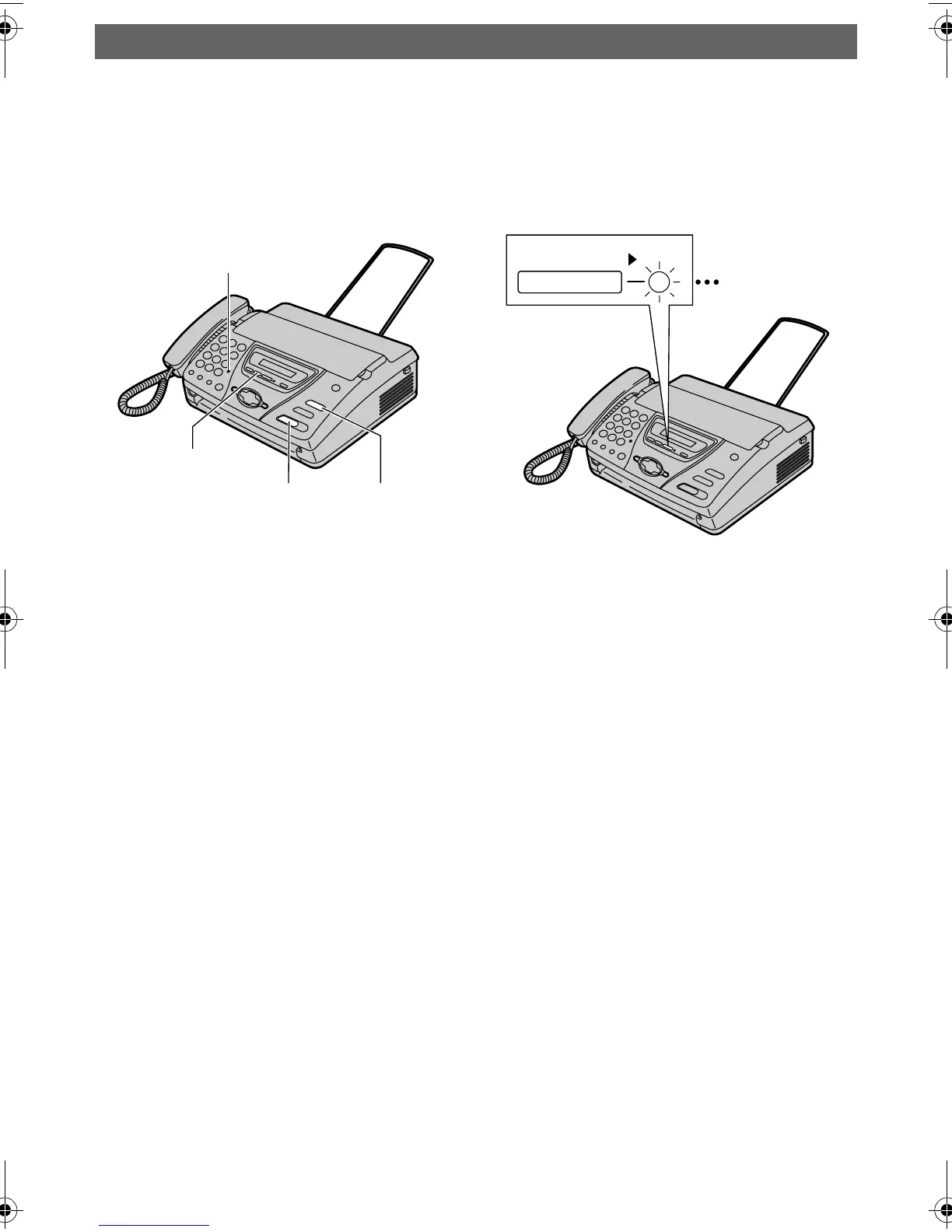
Answering Device (KX-FT78 only)
Recording your own
greeting messages
1 Press {RECORD} 2 times.
2 Press {FAX/START}.
3 Speak clearly about 20 cm
away from the microphone, up
to 16 seconds.
4 When finished recording, press
{STOP}.
LFor further details, see page 58.
Listening to recorded
messages
When the PLAY MESSAGES
indicator flashes:
Press {PLAY MESSAGES}. The
new recorded messages will be
played.
When the PLAY MESSAGES
indicator is on:
Press {PLAY MESSAGES}. All
messages will be played.
LFor further details, see page 62.
Microphone
{FAX/START} {STOP}
{RECORD}
FLASH/LIGHT
PLAY MESSAGES
FT74-78HK.book Page 9 Friday, June 28, 2002 9:45 AM









 To Next Page