Before Operating the PS
10
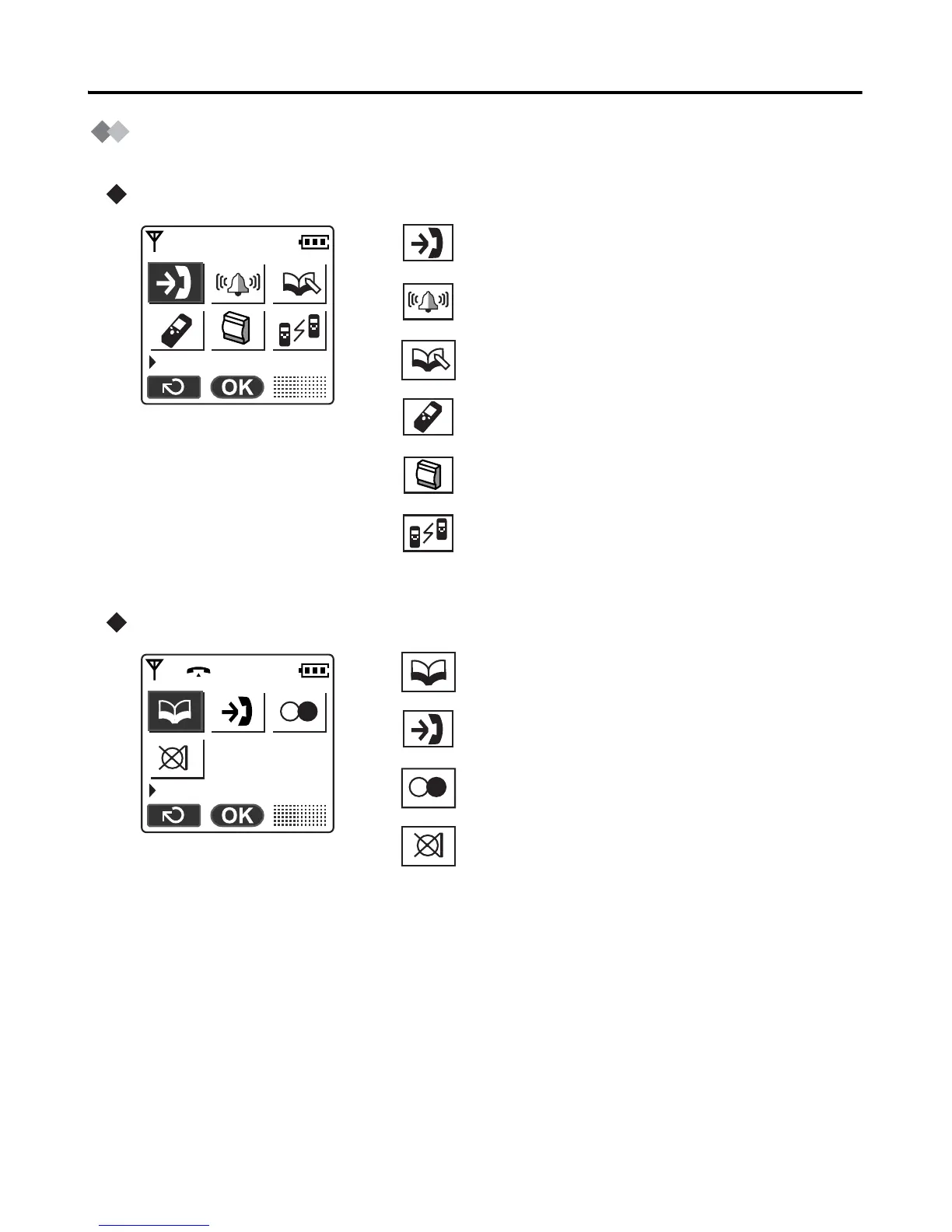
Function Menu Display
Press the joystick to display the function menu.
Main menu – while in standby mode
Sub menu – while in off-hook/during a conversation
Caller ID:
Displays the incoming call log.
Ringer Option:
Displays the “Ringer Option” menu.
New Phonebook:
Creates a new item in the Handset Phonebook.
Setting Handset:
Displays the “Setting Handset” menu.
PBX Program:
Enters PBX programming mode.
Walkie-Talkie:
Displays the Walkie-Talkie menu. (See page
45.)
Phone book:
Opens the Handset Phonebook.
Caller ID:
Displays the incoming call log.
Redial:
Redials the last dialled number.
Mute:
Turns the microphone on/off.
Caller ID
Phone book










 To Next Page