Making Calls
17
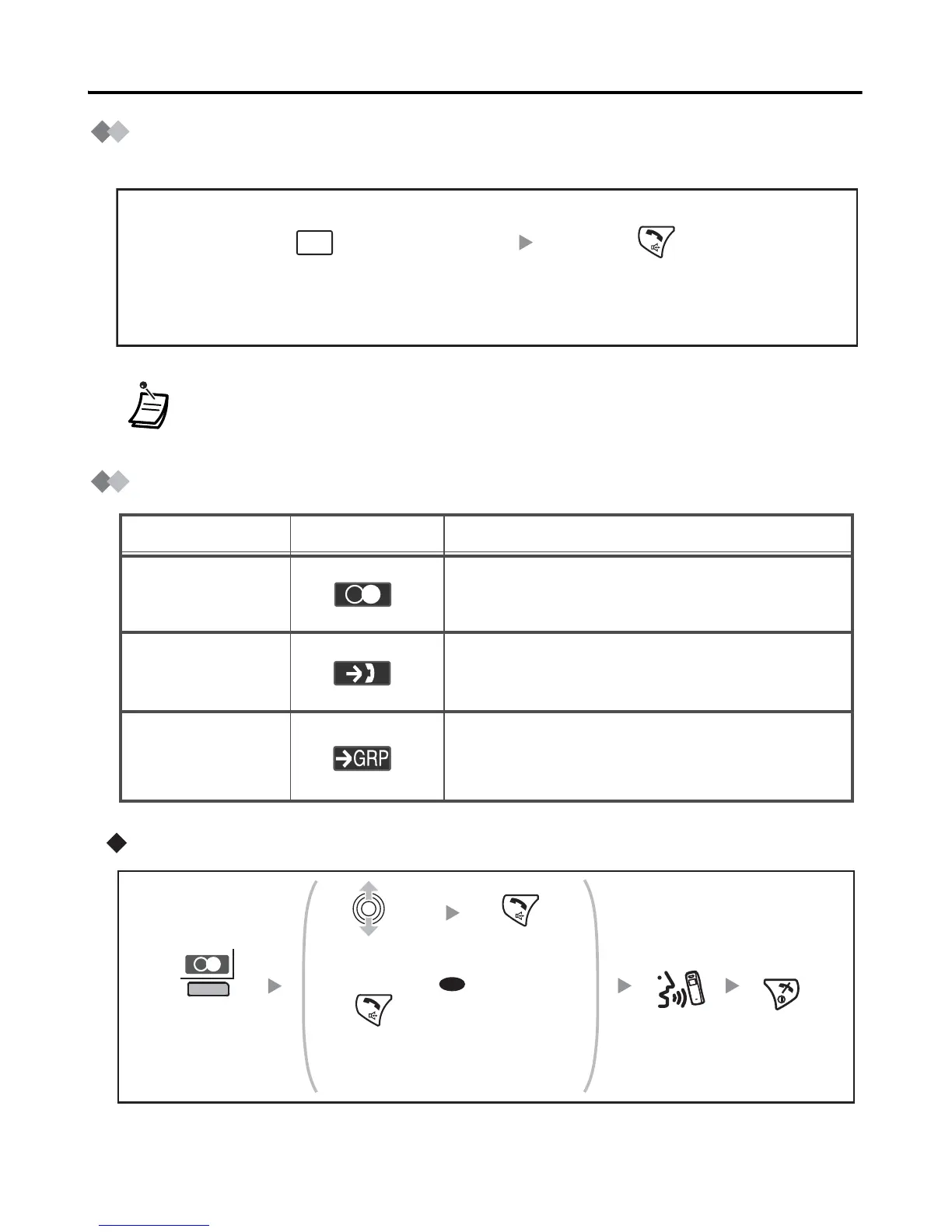
Hot Key Dial
You can make a call by simply pressing an assigned hot key.
Using the Call Log
Using the Outgoing Call Log
• To assign a phone number as hot key, see page 30.
Press and hold the
assigned hot key.
Press TALK/SP-PHONE.
X
Description
Feature
Display Icon
You can make a call using the phone
numbers you have dialled previously.
You can make a call using the phone numbers
of calls you have received.
Outgoing
Call Log
Incoming
Call Log
You can make a call using the phone
numbers of calls that incoming call
distribution groups have received.
Incoming Call
Log Group
To call the last dialled
number.
Select the
desired item.
Press TALK/
SP-PHONE.
Press
TALK/
SP-PHONE.
Press the right
soft key.
Press
CANCEL
to end call.
OR
Talk.










 To Next Page