Others
47
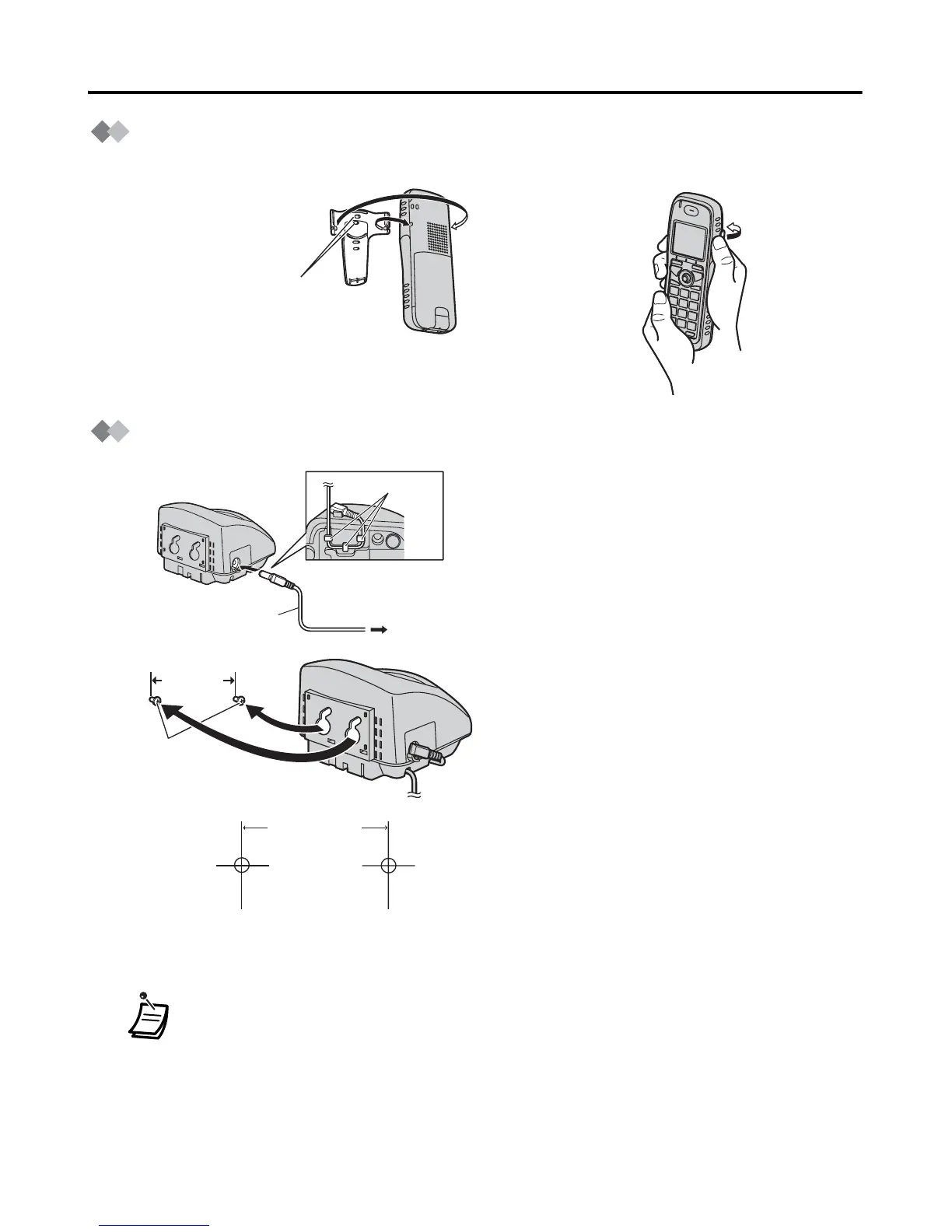
Using the Belt Clip
You can hang the handset on your belt.
Wall Mounting
1 Connect the AC adaptor to the charger.
2 Using the wall mounting template below,
insert two suitably sized screws into the
wall.
When you print out this page for wall
mounting purposes, the printed output
distance may deviate slightly from the
indicated measurement. In this case,
use the measurement indicated.
When mounting the charger, ensure that
the correct screws are used for the type
of wall.
3 Mount the charger securely on the
screws.
• When inserting screws, avoid pipes and electrical cables, etc, that may be
present/buried.
• The screw heads should not be flush to the wall — leave a 3mm (approx.) gap
between the wall and the screw head.
• Certain types of wall may require plugs to be anchored in the wall before the
screws are inserted.
To remove



 To Next Page