Using the Phonebook
31
Entering Characters
You can enter characters and digits using the dialling buttons.
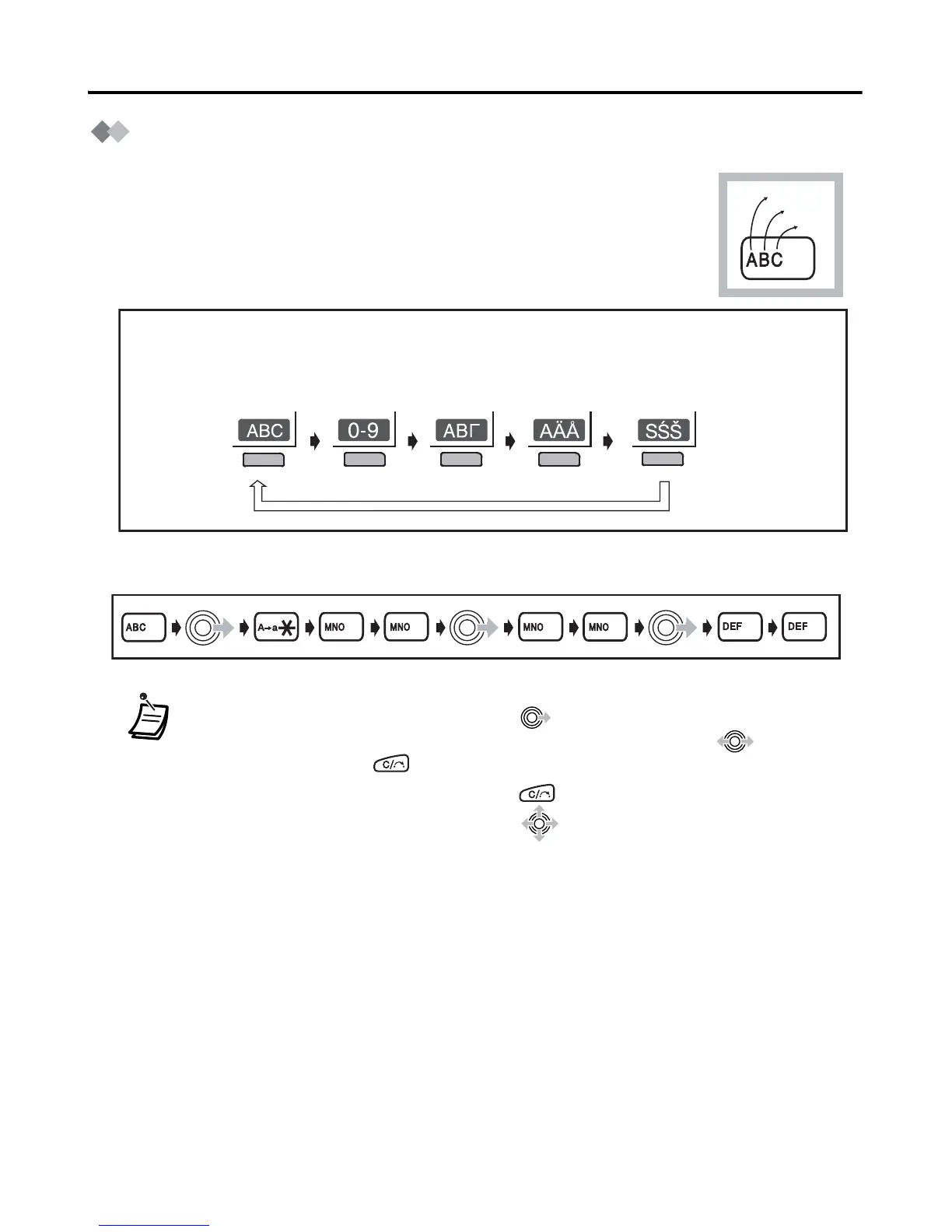
You can select one of 5 character modes by pressing the right soft
key while entering a name. The function icon above the soft key
displays the current character mode.
See “Character Mode Table” (page 32) for available characters.
Example: To enter “Anne” in Normal Mode.
• To enter a character located on the same dialling button as the previous character,
move the cursor by moving the joystick , then enter the desired character.
• If you enter a different character by mistake, move the joystick to highlight
the character, press to delete it, then enter the correct character.
• To clear an entire line, press and hold .
• To move the cursor, move the joystick in the desired direction.
A, a
B, b
C, c
2
Normal Numeric Greek
Extended 1
Extended 2
To change the character mode while editing a name in the phonebook, press
the
r
igh
t
s
o
ft
key
.
6 6
2
3
3
6
6










 To Next Page