Using the Phonebook
28
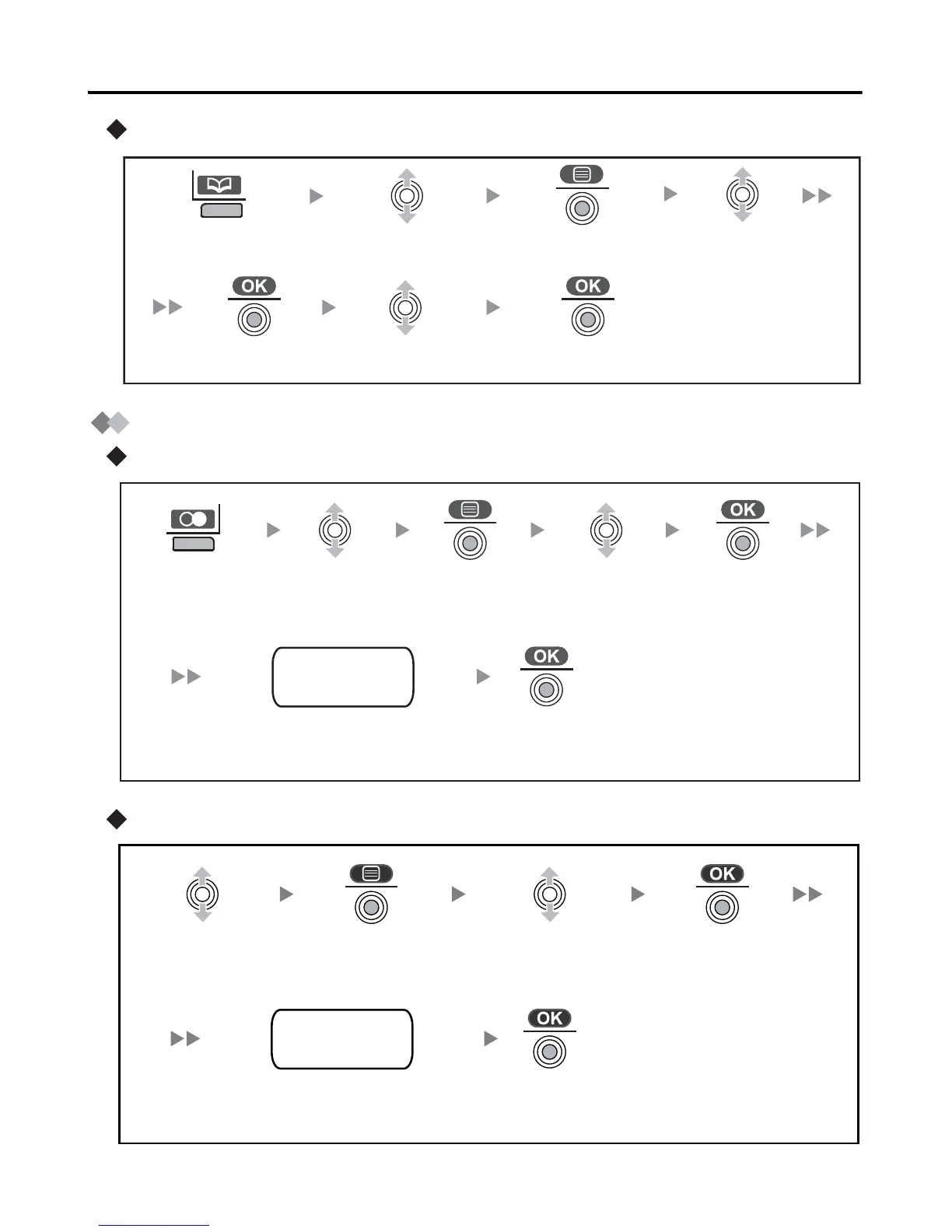
Deleting
Storing an Item in the Handset Phonebook
Using the Outgoing Call Log
Using the Incoming Call Log
Press the
left soft key.
Select “Yes”.
Select the
desired item.
Select “Delete”.
Press the
joystick.
Press the
joystick.
Press the
joystick.
name
phone no.
category no.
Press the
right soft
key.
Select the
desired item.
Press the
joystick.
Press the
joystick.
Select “Save
Phonebook”.
Press the
joystick.
Enter a name, phone number, and
select the category number or Off.
*
name
phone no.
category no.
Select the
desired item.
Press the
joystick.
Press the
joystick.
Select “Save
Phonebook”.
Press the
joystick.
Enter a name, phone number, and
select the category number or Off.
*










 To Next Page