Using the Phonebook
29
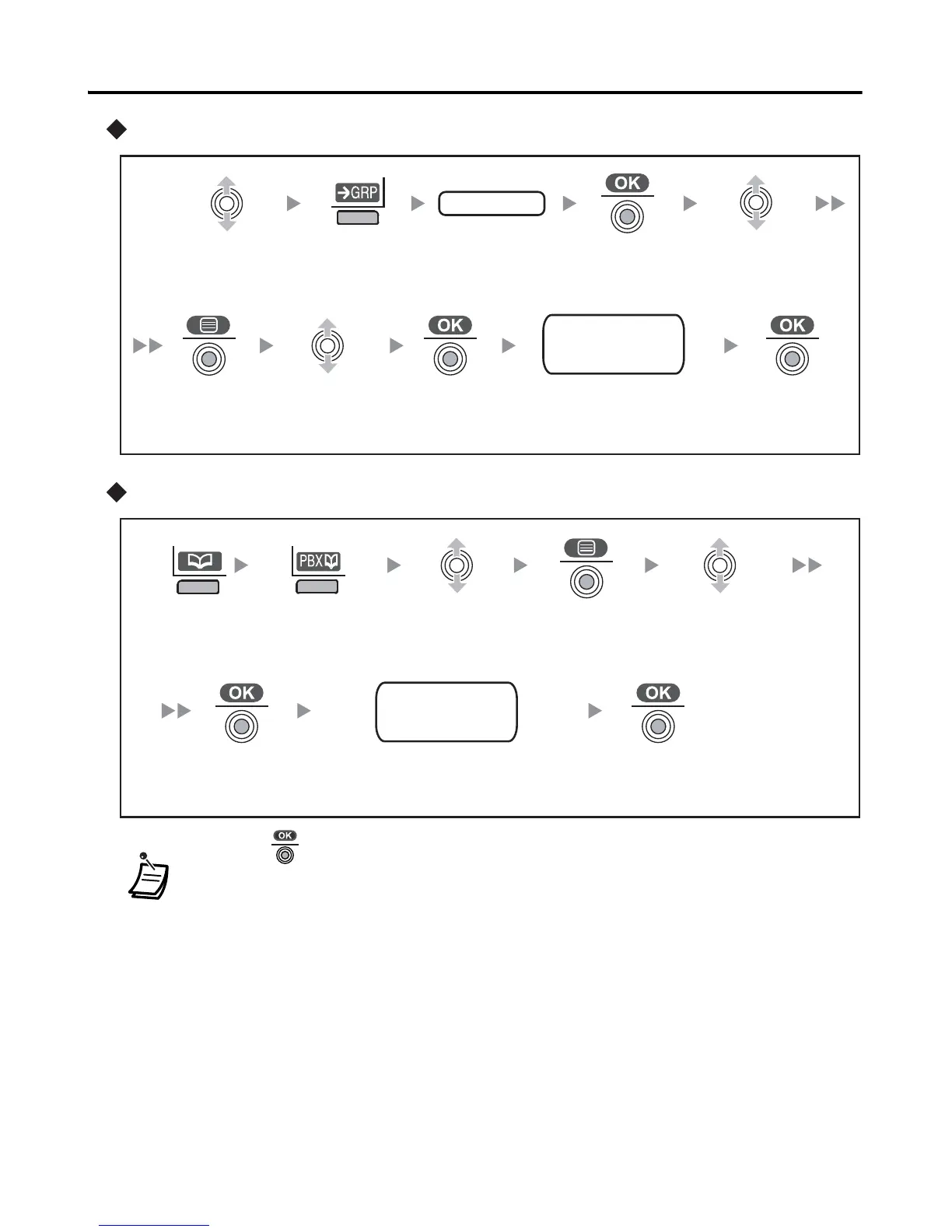
Using the Incoming Call Log Group
Using the PBX System Phonebook
• * Press to confirm each entry.
(name - max. 16 characters/phone no. - max. 32 digits).
– Although up to 200 Phonebook items can be stored, each phone number
stored in the Phonebook that contains over 24 digits counts as two Phonebook
items.
– If there is only one Phonebook memory location available, you cannot store a
phone number that is over 24 digits long.
• When storing an outside phone number, the line access number will be stored
automatically. The line access number must be identical to the PS’s “Line
Access CD” setting (Call Option). (See page 40.)
Press the
jo
ys
t
i
ck
.
Press the
right
soft key.
Move the
jo
ys
t
i
ck
U
P
or
D
OW
N
.
Enter the
incoming call
log group no.
Press the
jo
ys
t
i
ck
.
Press the
jo
ys
t
i
ck
.
Select “Save
Phonebook”.
g
r
oup
no
.
name
phone no.
category no.
Select the
desired item.
Press the
jo
ys
t
i
ck
.
Enter a
n
a
m
e
,
phon
e
nu
m
b
e
r
, and select the
category number or Off.
*
Select “Save
Phonebook”.
Press the
left soft key.
Press the
left soft key.
Press the
jo
ys
t
i
ck
.
Select the
desired item.
n
a
m
e
phon
e
no
.
ca
t
e
go
r
y
no
.
Press the
jo
ys
t
i
ck
.
Press the
jo
ys
t
i
ck
.
Enter a
n
a
m
e
,
phon
e
nu
m
b
e
r
, and
select the category number or Off.
*



 To Next Page