Before Operating the PS
6
TALK/SP-PHONE:
Used to make or receive calls, or
to establish a hands-free
conversation.
Joystick:
Used to adjust the ringer/receiver
volume, select the Function
mode and the function displayed
directly above, and move the
cursor to select a desired item.
MESSAGE:
Used to leave a message waiting
indication or call back the party
who left the message waiting
indication.
RECALL:
Used to disconnect the current
call and make another call
without hanging up, or answer
Call Waiting from the telephone
company.
INTERCOM:
Used to make or receive intercom
calls.
CLEAR/TRANSFER:
Used to clear digits or characters,
or transfer a call to another party.
CANCEL/POWER:
Used to end calls, exit the
Phonebook or Function mode, or
turn on/off the PS.
Soft Keys:
Used to select the function
displayed directly above each
key. Functions displayed depend
on the state of use.
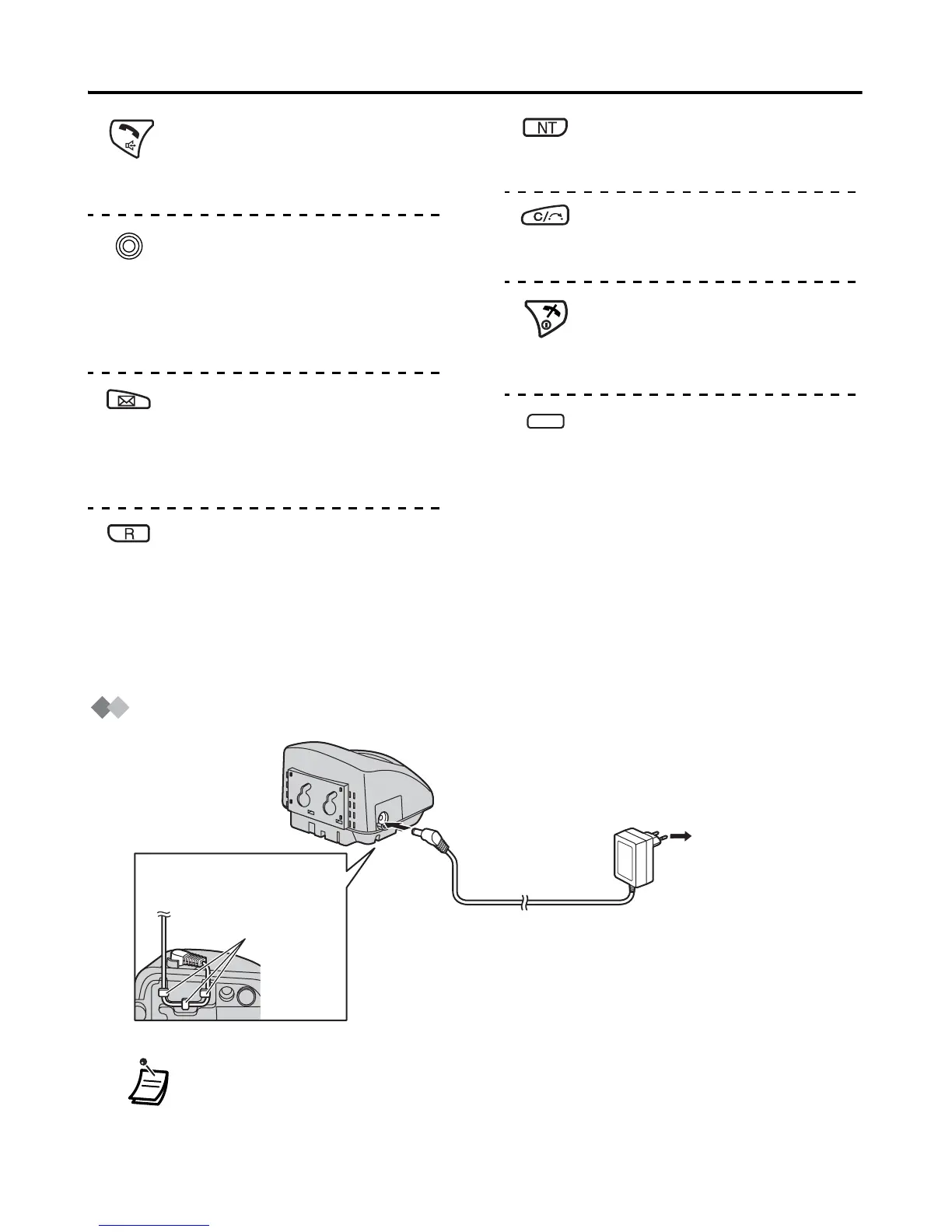
Connection
I
• Use only the included charger.
• Use only the included Panasonic AC adaptor.
For KX-TCA355CE users: model no. PQLV206CE
For KX-TCA355UK users: model no. PQLV206E
For KX-TCA355AL users: model no. PQLV206AL
Fasten the AC
adaptor cord to
the cord holder.
Cord holder
AC adaptor
To AC Outlet










 To Next Page