EasyManua.ls Logo

Panasonic KX-TCA355 - Caller ID

Panasonic KX-TCA355
56 pages
Print Icon
To Next Page IconTo Next Page
To Previous Page IconTo Previous Page
Loading...
Receiving Calls
22
Caller ID
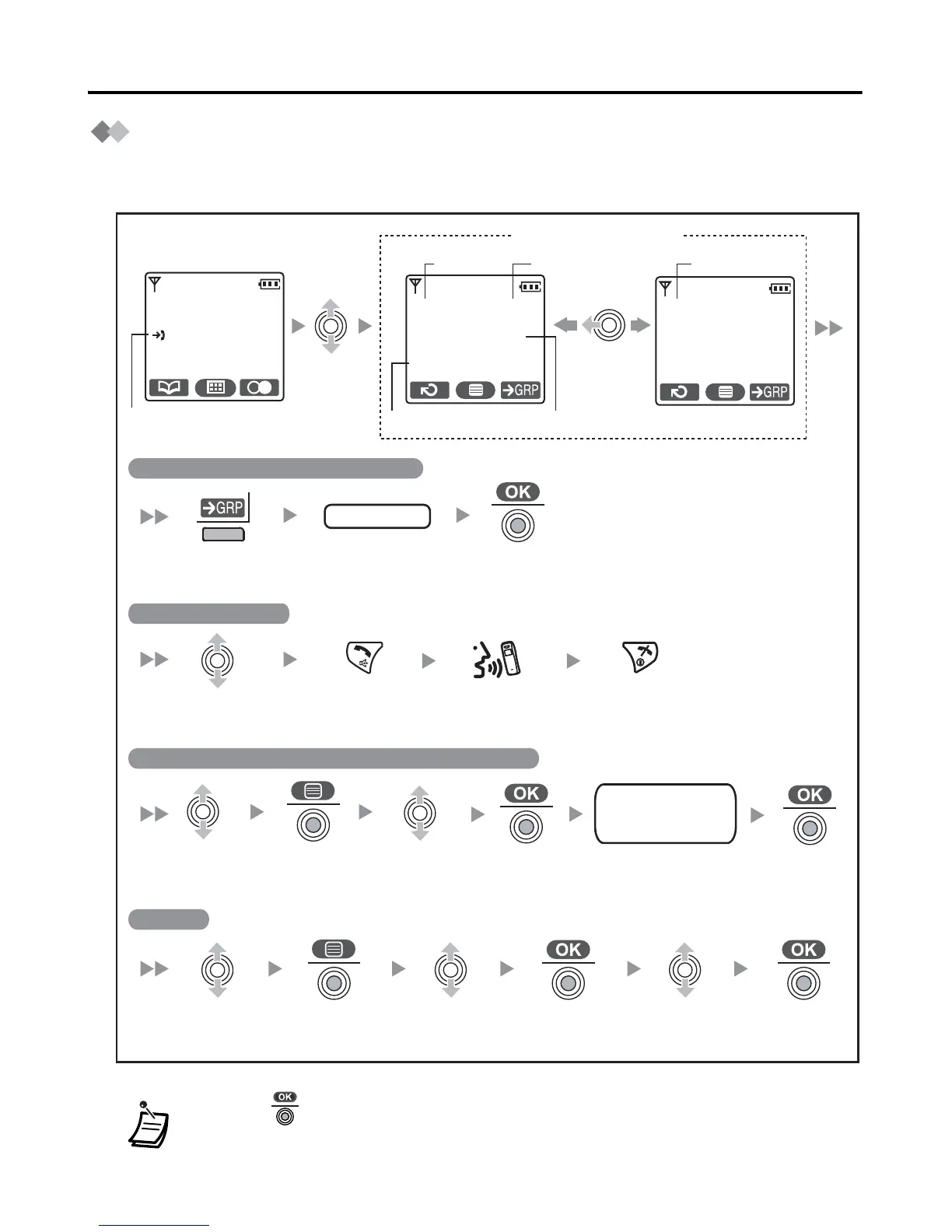
If an outside call which contains Caller ID information is received, this information will be
logged in the incoming call log.
* Press to confirm each entry. (See page 29.)
(name - max. 16 characters/phone no. - max. 32 digits).
<Standby mode>
New calls have been
received.
Press the
right soft key.
Enter the desired
group number.
Press the
joystick.
Press the
joystick.
02 JUL. 14:59
James Smith
0123456789
Time
Received
Date
Received
NamePhone No.
Accessing the In
coming Call Log G
roup
group no.
Select the
desired item.
Press the
joystick.
Select “Save
Phonebook”.
Press the
joystick.
Press the
joystick.
Press the
joystick.
Select the
desired item.
Select the
desired item.
Select
Delete”.
Press the
joystick.
Select “Yes”.
Calling back a caller
Saving the Caller Information in the Handset Phonebook
Deleting
Press TALK/
SP-PHONE.
Press CANCEL
to end call.
301:Paul
New Calls
3.Jul 10:08
Old:Answered
James Smith
0123456789
<Caller ID display>
Status of the
call
name
phone no.
category no.
Enter a name, phone
number, and select the
category number or Off.
Talk.
*

Related product manuals