Others
46
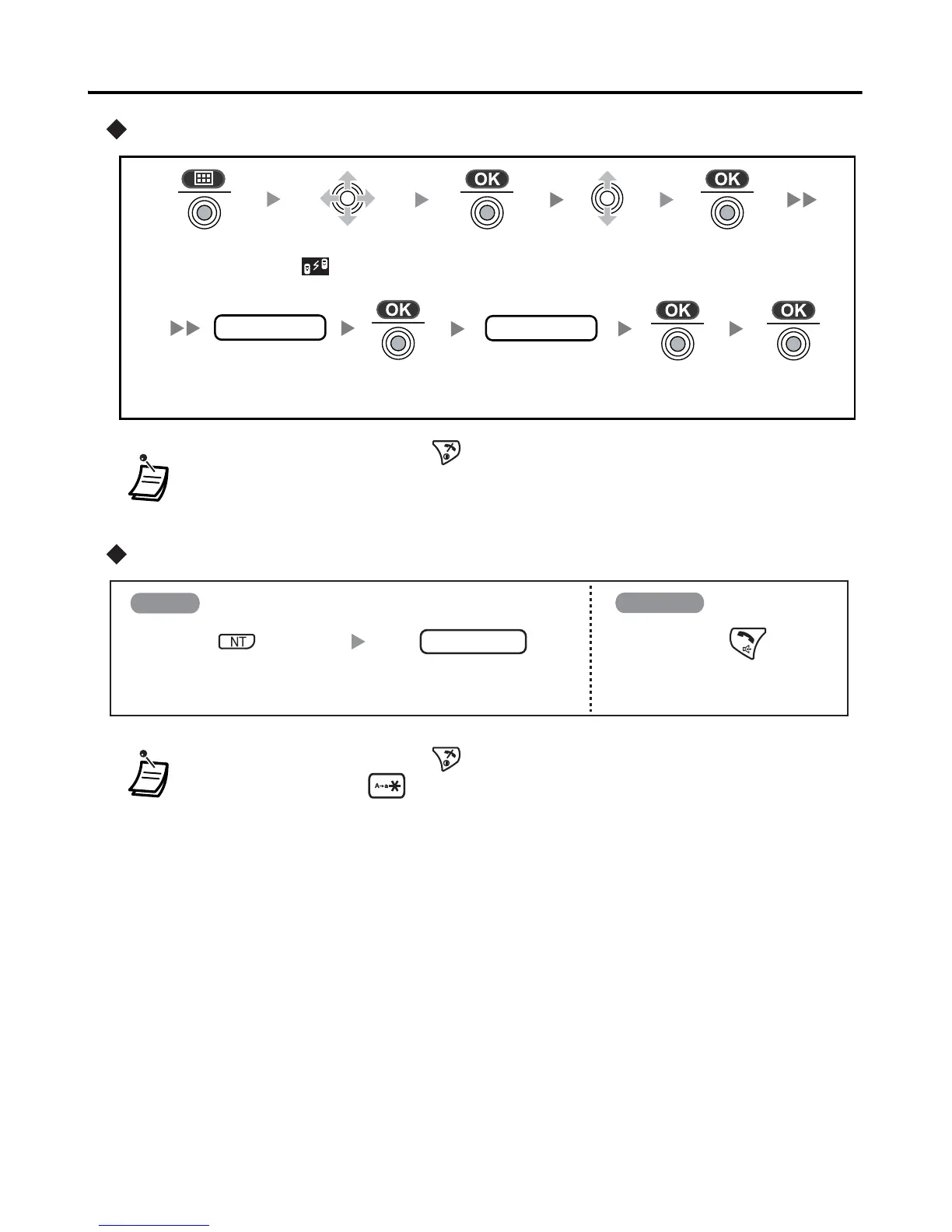
Setting the Walkie-Talkie mode
Talking in Walkie-Talkie mode
• To exit the operation, press any time.
• * Any 3 digits can be used. Make a note of the group number you set here.
• Each handset should have its own unique handset number.
• To exit the operation, press any time.
• * A caller can press to call all handsets in the same Walkie-Talkie mode.
group no.
Press the
joystick.
Press the
joystick.
Select
“Setting”.
Enter the group
number* (3 digits).
Press the
joystick.
handset no.
Enter the handset
number (1-9).
Press the
joystick.
Select
“ Walkie-
Talkie”.
Press the
joystick.
Press the
joystick.
Press INTERCOM. Enter the desired
handset number.*
Press TALK/
SP-PHONE.
Calling
Answering
handset no.
I










 To Next Page