Making Calls
20
• * Press the dialling button (0-9) that corresponds to the letter you are searching
for. Press the dialling button repeatedly until the desired key is displayed.
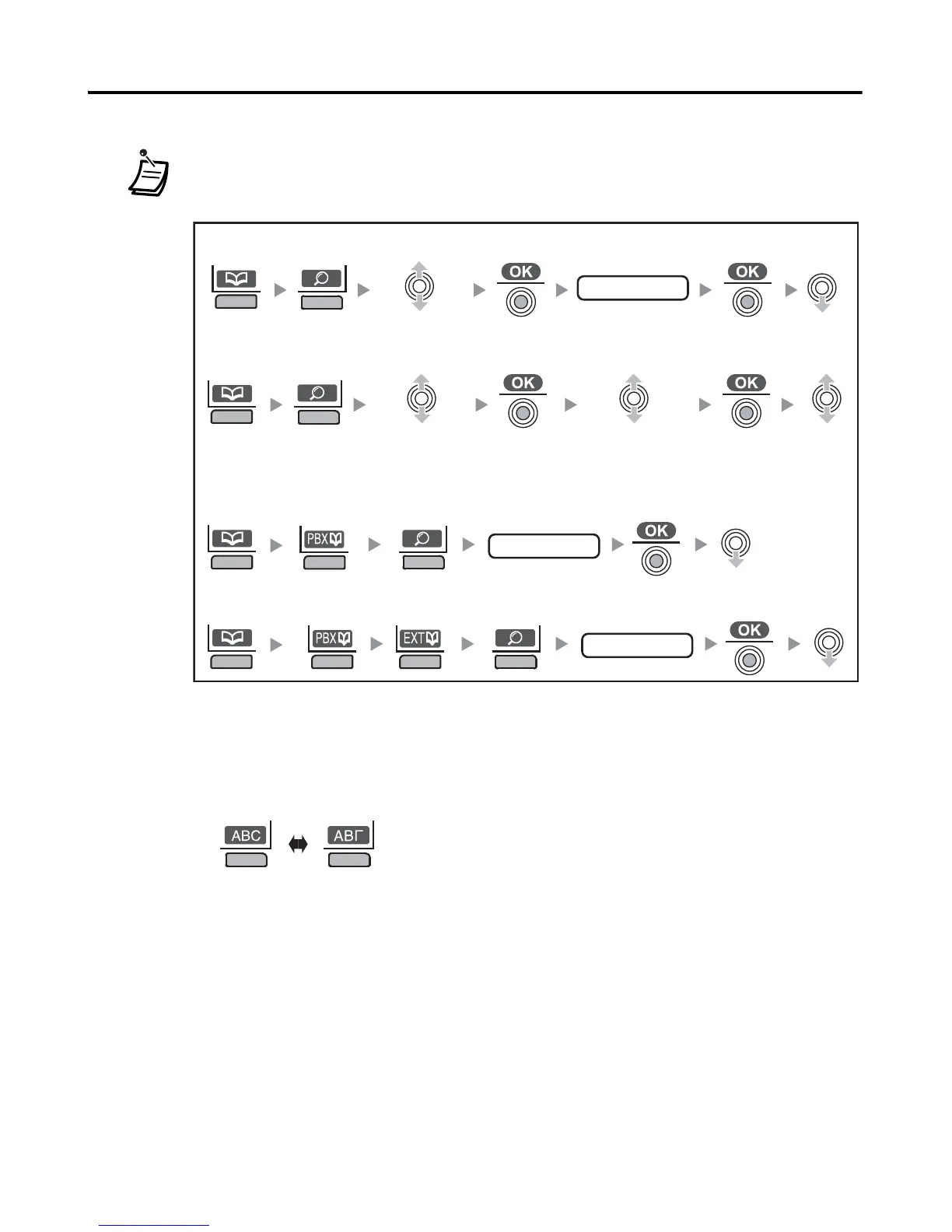
• You can search for an item stored in the Phonebook, as shown below:
* To enter characters:
1. Press the right soft key repeatedly to select the desired character entry
mode.
2. Press the dialling button (0-9) that corresponds to the letter you are
searching for. Press the dialling button repeatedly until the desired key is
displayed.
<Index Search-PBX System Phonebook>
first letter*
<Index Search-Handset Phonebook>
first letter*
Select
“Index Search”.
<Category Search-Handset Phonebook>
Select “Category”.
<Index Search-PBX Extension Phonebook>
first letter*
Select the desired
category number
or All.
Normal Greek










 To Next Page