Mini VRF SYSTEM
Remote Controller Functions
5 - 31
3. Remote Controller Servicing Functions
5
(4)
, and
buttons simultaneously for 4 or more seconds.
The “Maintenance func” screen appears on the
LCD display.
(5)
Press the
(6)
or
/
button to see each menu.
Select “13. nanoe X” on the LCD display and press the
button.
The nanoe™ X module status of all indoor units will be
displayed.
Normal : The nanoe™ X module is operating normally.
Unsupported : The indoor unit is not available to the
nanoe™ X function.
*1-1 and 1-2 represent the unit number.
*In the case of “Unsupported”, select “8. Detailed
settings” and check the setting data of the Code no. 9.
*If the setting data is “0000”, the nanoe™ X module is
not recognized. Check the status of the connection.
If the display other than “Normal” or “Unsupported”
appears, check the Step (7) next page.
Check that the nanoe™ X module status is “Normal”.
The indoor unit on the display can be scrolled up or
down using buttons.
While operating in FAN mode (more than 5 minutes
have elapsed), press the
(1)
Switch On the earth leakage circuit breaker.
(2)
Wait until the remote control display returns to
normal.
(3)
Operate the unit in FAN mode.
<Procedure of CZ-RTC5B>
■
When the appears on the remote controller (CZ-RTC5B), the status of the nanoe™ X can be
checked in the following way.
nanoe
TM
X Display
Sel.
20:30 (THU)
Maintenance func
Page [ ] Confirm
0. ECONAVI info.
1. Outdoor unit error data
2. Service contact
3. RC setting mode
20:30 (THU)
START
[ ]
20:30 (THU)
MODE
FAN SPEED
FLAP
FAN
Maintenance func
Sel. Page [ ] Confirm
20:30 (THU)
0. ECONAVI info.
1. Outdoor unit error data
2. Service contact
3. RC setting mode
Maintenance func
Sel. Page [ ] Confirm
20:30 (THU)
Set touch key
12.
11.
Set elec. consumption10.
Check touch key
13. nanoe X
nanoe X
Unit no. Status
Not connected
Unsupported
Normal
1
1
1
2
1
3
-
-
-
Scroll
20:30 (THU)
(7)
In the case of the nanoe™ X module status other than “Normal” or “Unsupported”
If the menu “13. nanoe X” is not displayed or the module status becomes other than “Normal” or “Unsupported”
even though the nanoe™ X module is connected, there is a probability that the following symptoms happen.
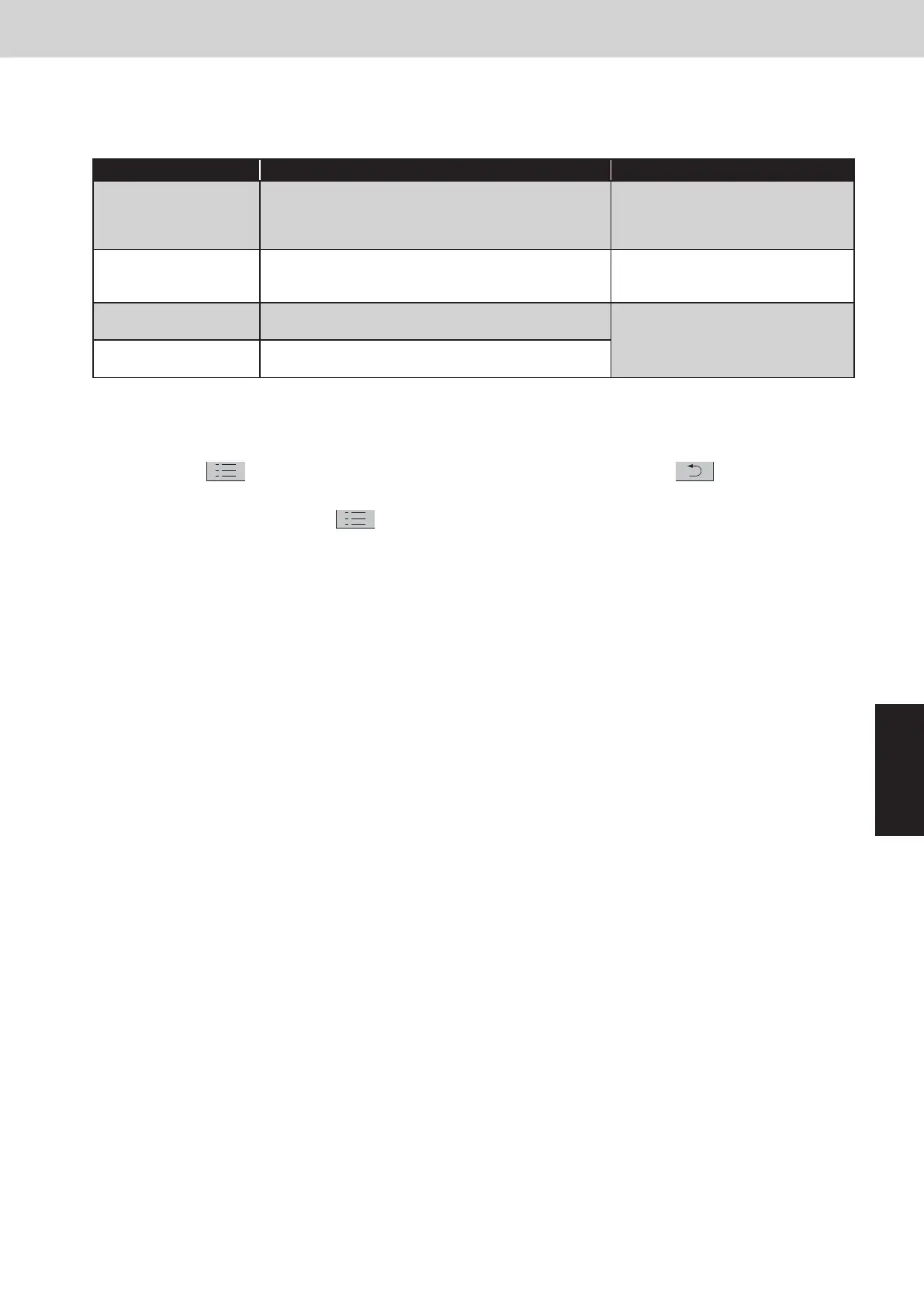
Display Symptom Countermeasure
Discharge error
The probability of occurrence of nanoe™ X is deviated
from the room temperature and humidity conditions.
Outside the range of temperature: Below 5°C or over 35°C
Outside the range of humidity: Over 86%
There is no abnormality in the
nanoe™ X module. Use in the range of
appropriate temperature and humidity.
Humidity error Humidity sensor not connected or sensor failure
Check if connected to the indoor unit
PCB of the humidity sensor or replace
the sensor.
Faulty connection
The wiring between the indoor unit and nanoe™ X module
is not connected.
Specialize the target indoor unit and
check the connection to the indoor unit
PCB of the nanoe™ X module.
Not connected
There is no abnormality in the nanoe™ X module. Use in
the range of appropriate room temperature and humidity.
*Specialization of the indoor unit can be checked by the operation of the airflow.
Checking method:
1. Stop the maintenance function.
Press the
button to show the maintenance func display. Then press the button.
2. Operate the airflow.
Select the Unit no. under the
“2. Airflow setting”. Make the airflow setting.
The unit which is corresponded to the preset flap operation will become the target unit.
When the unit is specialized, switch off the earth leakage circuit breaker and unplug the connector of the
nanoe™ X module wiring from the PCB. Then plug it in again. Switch on the earth leakage circuit breaker and
once again check the Steps 1 to 3. Then check the status by selecting the menu “13. nanoe X”. If “Disconnection
failure” or “Not connected” appears on the display, it is necessary to replace the nanoe™ X module with a new
one.
SM830289-01_欧州向け R32 mini VRF 8,10HP SM&TRSM.indb 31SM830289-01_欧州向け R32 mini VRF 8,10HP SM&TRSM.indb 31 2021/05/07 10:16:232021/05/07 10:16:23



 To Next Page